
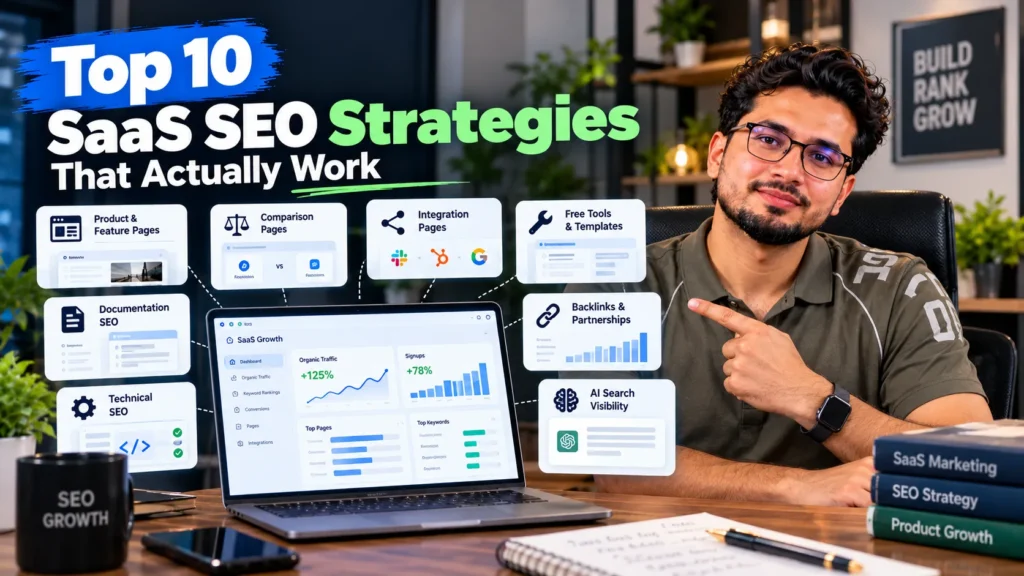
The SaaS SEO strategies that work best start close to the sale: product, feature and use-case pages, honest comparison and alternatives pages, and integration pages. After that, growth comes from product-led content, free tools and templates, documentation that ranks, carefully built programmatic pages, clean technical foundations for JavaScript apps, earned links and visibility in AI answers and review sites. The order matters: most SaaS companies get faster results by building pages for buyers before writing top-of-funnel blog posts.
Why SaaS SEO needs its own playbook
SEO for a software company differs from SEO for a shop or a clinic in four ways:
- People search for problems, not products. Many buyers do not know your category name yet. They search for the job they need done.
- Competitors are named in searches. “Alternative to”, “vs” and “pricing” searches are common and close to a buying decision.
- The product itself creates content opportunities. Integrations, templates, docs and free tools can all rank.
- Revenue arrives later. A visitor signs up for a trial, then converts weeks later, so traffic alone is a poor measure.
These differences shape the ten strategies below. They are the same priorities I follow in SaaS SEO work for software and platform clients.
The 10 strategies at a glance
| # | Strategy | Funnel stage | Time to results | Best for |
|---|---|---|---|---|
| 1 | Bottom-of-funnel product and use-case pages | Decision | Fast | Every SaaS |
| 2 | Comparison and alternatives pages | Decision | Fast to medium | Crowded categories |
| 3 | Integration pages | Decision and discovery | Medium | Products that connect to other tools |
| 4 | Problem-led, product-led content | Consideration | Medium | Products that solve a clear task |
| 5 | Free tools and templates | Awareness to signup | Medium to slow | Products with a simple, repeatable task |
| 6 | Documentation and help centre SEO | Consideration and retention | Medium | Technical or developer products |
| 7 | Careful programmatic pages | Discovery | Medium | Large sets of genuinely useful variations |
| 8 | Technical foundations for SaaS sites | All stages | Ongoing | JavaScript-heavy sites, app and marketing on one domain |
| 9 | Earned links through data and partners | All stages | Slow | Any SaaS in a competitive category |
| 10 | Visibility in AI answers and review sites | Consideration and decision | Medium | B2B SaaS where buyers shortlist tools |
1. Build bottom-of-funnel pages first
Bottom-of-funnel pages target people who are close to choosing a tool. They convert better than blog posts and usually face less competition than broad category terms.
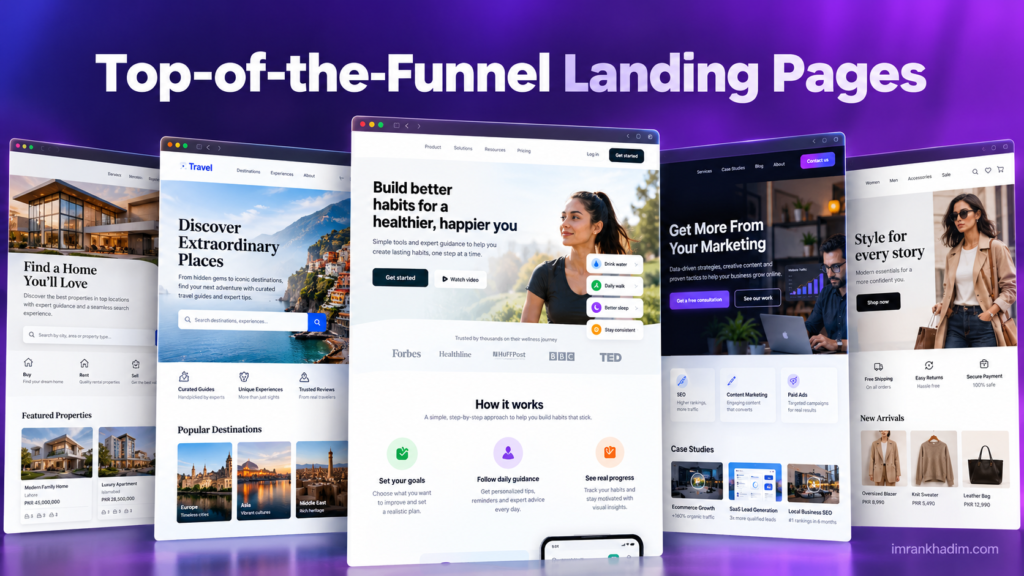
Pages to build first:
- Feature pages for each core capability, written around what the feature does for the user
- Use-case pages for each job your product solves, such as “invoice reminders” or “shift scheduling”
- Industry pages for each type of customer, such as clinics, agencies or retailers
- A clear pricing page with plans, limits and an FAQ, because “[product] pricing” is one of the most common searches
Each page should match what the searcher wants to see. Search the target keyword first and look at the top results: if Google shows product pages, a blog post will not fit. The basics of matching page type and intent are covered in my list of on-page SEO factors.
2. Publish honest comparison and alternatives pages
Buyers who search “[competitor] alternatives” or “[tool A] vs [tool B]” are already shopping. These pages often bring the highest-intent traffic a SaaS site gets.
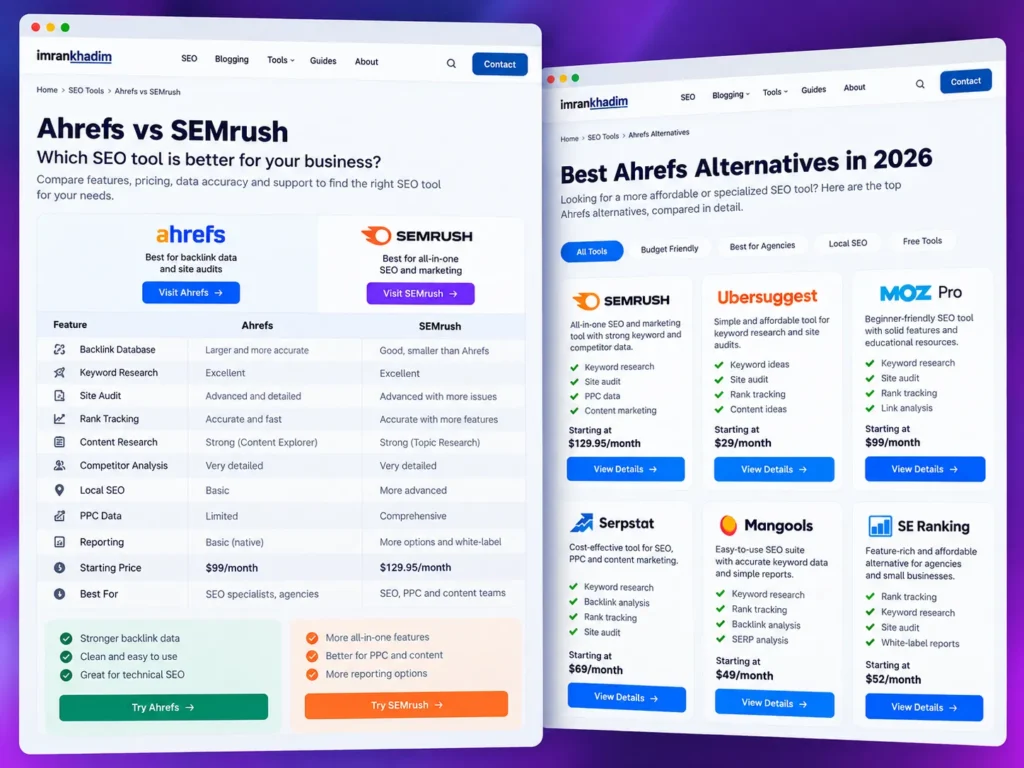
What makes them work:
- Be fair. Say where the competitor is stronger. Readers trust balanced pages and leave biased ones.
- Use a comparison table of features, limits, pricing model and support.
- Name who each tool suits. “Better for small teams” or “better for enterprise security” helps readers decide.
- Keep them current. Competitor pricing and features change; outdated claims hurt trust and can create legal risk.
Start with your two or three biggest competitors, then expand to alternatives pages for the most searched tools in your category.
3. Create integration pages
If your product connects with other tools, people search for those combinations: “[your product] Slack integration”, “sync [tool] with Google Sheets”, “[CRM] WhatsApp integration”.
A strong integration page includes:
- What the integration does and why someone would want it
- Step-by-step setup instructions with screenshots
- Common use cases and limits
- Links to related documentation
Integration pages also earn links. Partner companies often list integrations in their own app directories or marketplaces, which brings both referral traffic and relevant links.
4. Write problem-led content that uses your product naturally
Product-led content explains how to solve a problem, using your product as part of the solution where it genuinely fits. It sits between a tutorial and a sales page.
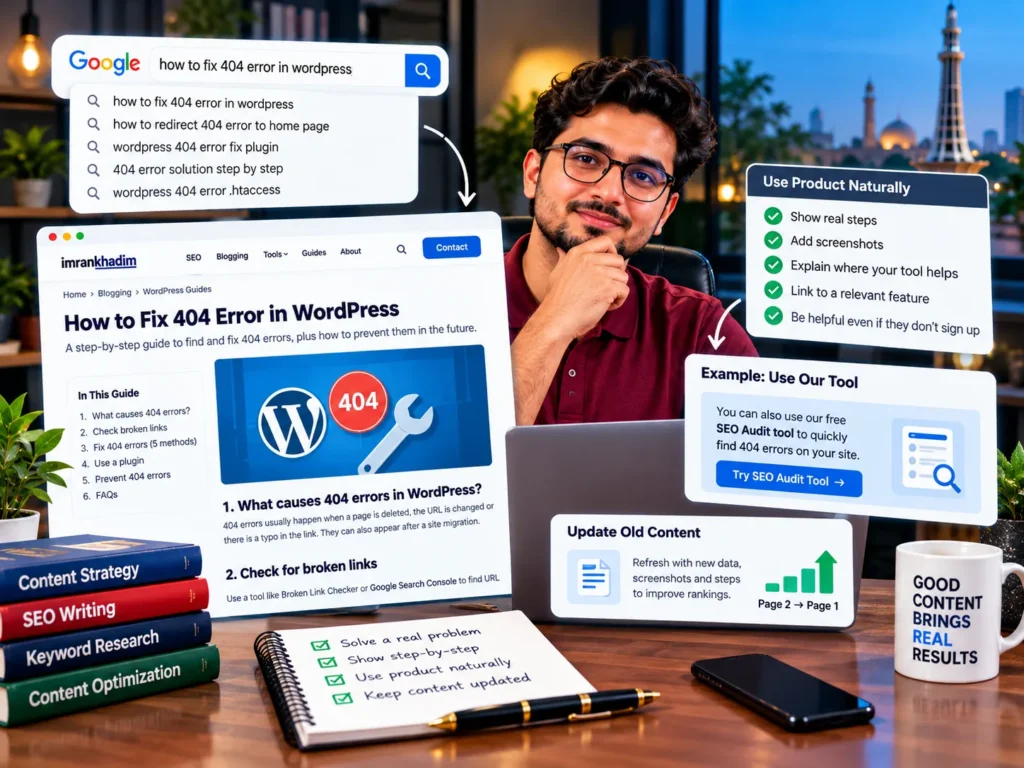
Good topics come from:
- Questions your support and sales teams hear every week
- Tasks people do manually before they find a tool like yours
- Searches for error messages, templates or workflows related to your product
Write the steps so they help even readers who never sign up, and show where your product saves time. Avoid writing broad “what is” posts with no link to your product; they attract traffic that rarely converts.
Older posts that rank on page two often need a refresh rather than replacement. Updating them with current screenshots, steps and data is the core of content optimisation.
5. Offer free tools and templates
A free, useful tool can rank for years and bring signups long after launch. Examples include:
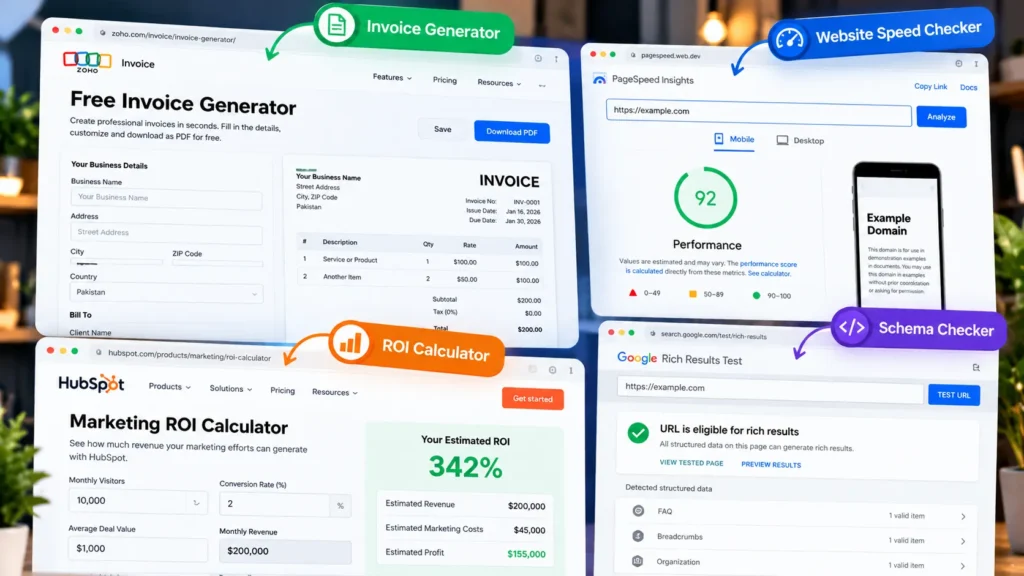
- Calculators: pricing, ROI, payroll, tax or margin calculators
- Generators: invoice, policy, email signature or schema generators
- Checkers: website speed, email deliverability or password strength checkers
- Templates: spreadsheets, contract templates, project plans
The best free tools do a small version of what your paid product does. A free invoice generator for an accounting SaaS, for example, shows the product’s value before anyone signs up.
Keep tools fast, mobile-friendly and free of forced signups for basic use. Add an optional step to save or export results with an account.
6. Treat documentation and help content as SEO assets
Docs, help centres and changelogs answer very specific questions, and those questions are often searched. For technical and developer products, docs can bring a large share of organic signups.
- Make docs crawlable and indexable unless they are private.
- Use clear titles that match how people search, such as “How to export invoices to CSV” rather than “Export settings”.
- Link docs to related features and integration pages, and back again.
- Keep docs on the main domain where practical. Google says subdomains and subfolders are both fine, so choose based on your setup, but keep internal links strong either way.
Help content also reduces churn by answering customer questions before they become support tickets. Checking that docs, versions and subdomains are crawled and indexed correctly is part of technical SEO.
7. Build programmatic pages carefully
Programmatic SEO creates many pages from a template and a data source, such as “[tool] for [industry]” or “[currency] to [currency] converter”. It can work well for SaaS, but it is also where many sites get into trouble.
Google’s spam policies define scaled content abuse as creating many pages “for the primary purpose of manipulating search rankings and not helping users”, whether they are made by AI, scraping or templates.
Programmatic pages are safe when:
- Each page has unique, useful data or functionality, not just a swapped keyword
- Real people would search for and use each variation
- Thin variations are noindexed or merged
- You can maintain the data so it stays accurate
Launch a small batch, check indexing and engagement in Search Console, then expand only if the pages perform.
8. Get the technical foundations right
SaaS sites often run a marketing site, a web app, docs and a blog together, sometimes on different technologies. That creates technical problems most other sites never face.
| Common SaaS issue | What to do |
|---|---|
| Marketing pages built in a JavaScript framework that renders content in the browser | Use server-side rendering or static generation for pages that need to rank |
| Logged-in app pages, signup steps and dashboards getting indexed | Block or noindex app URLs that have no search value |
| Staging, preview and test environments indexed | Password-protect them and block crawling |
| Duplicate docs versions (v1, v2, v3) competing | Canonicalise to the current version or noindex old ones |
| Slow pages from heavy scripts, chat widgets and tracking | Remove unused scripts and load third-party tools after the main content |
Many AI crawlers fetch plain HTML and do not run JavaScript, so content that only appears after scripts load may not be seen at all. The most frequent problems and their fixes are listed in my guide to technical SEO issues.
9. Earn links through data, partners and genuine expertise
SaaS categories are often crowded with well-funded competitors, so links matter. The safest links come from things other sites want to reference.
- Original data: anonymised trends from your product, such as average invoice payment times or support response times by industry
- Integration and technology partners: app marketplaces and partner directories
- Founder and team expertise: podcasts, interviews and expert quotes for journalists
- Free tools: other sites link to useful calculators and generators
- Customer stories: customers sometimes publish case studies that link back
Avoid buying guest posts or joining link schemes; they carry the same risks for SaaS as for any other site. More ideas suited to Pakistani companies are in these link building strategies.
10. Build visibility in AI answers and on review sites
Buyers now ask ChatGPT, Perplexity, Gemini and Google’s AI Overviews for tool recommendations. These systems lean on sources they see repeated across the web, so being mentioned in the right places matters as much as ranking.
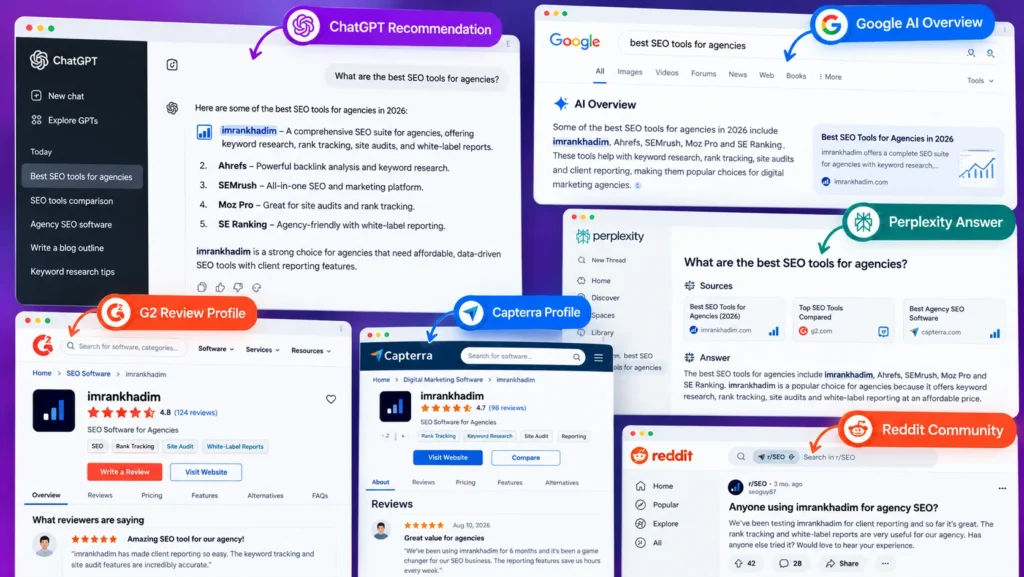
- Review platforms: keep profiles on G2, Capterra and similar sites complete, current and backed by real reviews.
- Consistent facts: product name, category, pricing model and main features should match across your site, docs, review profiles and social profiles.
- Clear answer passages: write key explanations as short, self-contained sections under question-style headings, so they can be quoted.
- Community presence: genuine answers in forums, Reddit threads and YouTube tutorials help both people and AI tools discover you.
- Structured data: SoftwareApplication, Organization and FAQ markup help machines read your facts correctly.
Tracking whether AI tools mention you, and fixing what they get wrong, is the focus of AI search optimisation.
Which strategies to prioritise at each stage
| Company stage | Focus first | Leave for later |
|---|---|---|
| Pre-launch or early beta | Use-case pages, pricing page, technical setup | Programmatic pages, large content plans |
| Early traction (first paying customers) | Comparison pages, integration pages, product-led content | Broad top-of-funnel blog posts |
| Growth | Free tools, docs SEO, original data for links | Expanding into many new markets at once |
| Scale | Programmatic pages, international SEO, AI visibility tracking | Starting from scratch on basics |
Early-stage companies often spend months writing generic blog posts while their pricing and feature pages remain thin. Fixing the pages buyers see first usually brings signups sooner.
How to measure SaaS SEO
Traffic is a starting point, not the goal. Track metrics that connect organic search to revenue.
| Metric | Why it matters | Where to track |
|---|---|---|
| Organic signups or demo requests | Shows whether SEO brings potential customers | Google Analytics 4 key events |
| Trial to paid conversion from organic | Shows whether organic visitors become customers | CRM or billing system |
| Revenue or pipeline from organic | Connects SEO to business results | CRM with source attribution |
| Impressions and clicks on bottom-of-funnel pages | Shows progress on high-intent terms | Google Search Console |
| Mentions in AI answers and review sites | Shows visibility beyond classic search | Manual checks or tracking tools |
| Referring domains | Shows authority growth | Search Console Links report, link tools |
Set up tracking before publishing new pages, so you can see which strategies actually bring customers. For referring domains, Search Console and several free backlink checker tools are enough at the start.
Paid search alongside SEO
Bottom-of-funnel and competitor terms are often expensive in Google Ads, but ads give fast data on which keywords convert. Many SaaS companies run a small paid search budget while SEO pages build, then reduce spend on terms where they rank. The trade-offs are covered in my comparison of SEO vs PPC.
Common SaaS SEO mistakes
- Starting with top-of-funnel blogs before product, pricing and comparison pages exist
- Targeting category terms too early, such as “CRM software”, where well-funded competitors dominate
- Letting app pages, staging sites or old docs versions into the index
- Mass-producing AI-written pages without unique data or expertise
- Hiding pricing, which pushes buyers to competitors and review sites for answers
- Measuring only traffic, with no link to signups, trials or revenue
SaaS SEO for Pakistani startups selling abroad
Many Pakistani SaaS companies sell mainly to customers in the US, UK, Gulf or Europe. That changes a few things:
- Target the buyer’s market, not your office location. Keyword research, pricing currency and examples should match the country you sell to.
- Show prices in the buyer’s currency and make tax and billing terms clear.
- Use hreflang only if you publish separate versions for different countries or languages.
- Build links and mentions in your target markets, such as industry publications and partner directories there, not only local Pakistani sites.
- Use local proof: case studies and reviews from customers in the markets you target.
Frequently asked questions
What is the best SEO strategy for a SaaS startup?
For most startups, the best first step is building strong bottom-of-funnel pages: features, use cases, pricing, comparisons and integrations. These pages target people close to buying and usually rank faster than broad category or blog content.
How long does SaaS SEO take to work?
Bottom-of-funnel pages in less competitive niches can start ranking within a few months. Competitive category terms often take six to twelve months or longer, depending on your site’s authority and the competitors you face.
Should SaaS companies write comparison pages about competitors?
Yes, if the pages are accurate and fair. Comparison and alternatives pages target buyers who are already evaluating tools, and honest pages build trust. Keep competitor details current and avoid claims you cannot support.
Is programmatic SEO safe for SaaS?
It can be, when each page offers unique data or functionality that people actually need. Mass-produced pages with only a keyword swapped can fall under Google’s scaled content abuse policy and harm the whole site.
Should SaaS documentation be on a subdomain or subfolder?
Google says both work. Choose based on your technical setup, then make sure docs are crawlable, well linked to product pages and kept to one current version where possible.
How do I measure ROI from SaaS SEO?
Track organic signups, demo requests and trial-to-paid conversions in Google Analytics 4 and your CRM, then connect them to revenue. Rankings and traffic are useful early signals, but revenue from organic visitors is the real measure.
Do SaaS companies need backlinks to rank?
In most categories, yes. Software markets are competitive, and links from relevant publications, partners and directories help pages compete. Earned links from data, tools and partnerships are safer and more lasting than bought ones.