
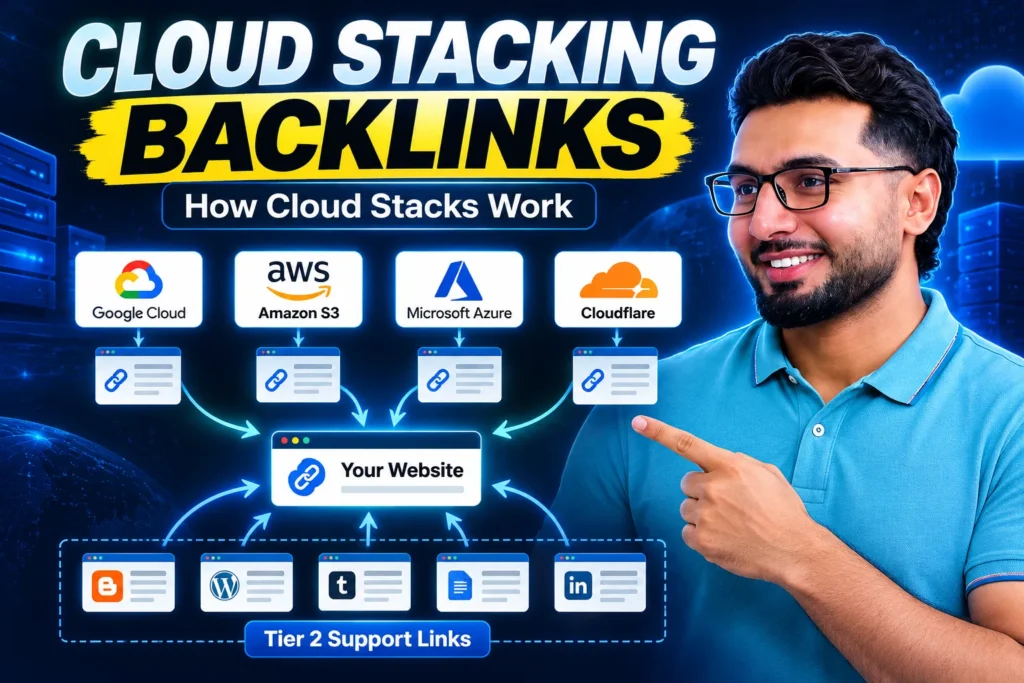
Cloud stacking backlinks are links placed on pages hosted on big cloud platforms such as Google Cloud, Amazon S3, Microsoft Azure and Cloudflare. You publish a small branded page or document on the cloud platform, the page carries real content about your business and a link to your website, and you repeat this across several platforms and connect the pages into one stack. The pitch is that these links sit on some of the most trusted domains on earth. The truth is more specific, and this guide gives you both the method and the limits.
Cloud stacking sits in the same family as the other foundation tactics in this series: Nandla links on top forums, podcast backlinks, web 2.0 properties and profile backlinks. One tactic alone does little. A site that builds all five, slowly, ends up with a link profile that looks like a real brand.
What is cloud stacking in SEO?
Cloud stacking means creating web properties on cloud infrastructure you do not own, and linking them to your site and to each other. A single property is called a cloud stack page. A set of them, interlinked and pointed at one target site, is the stack.
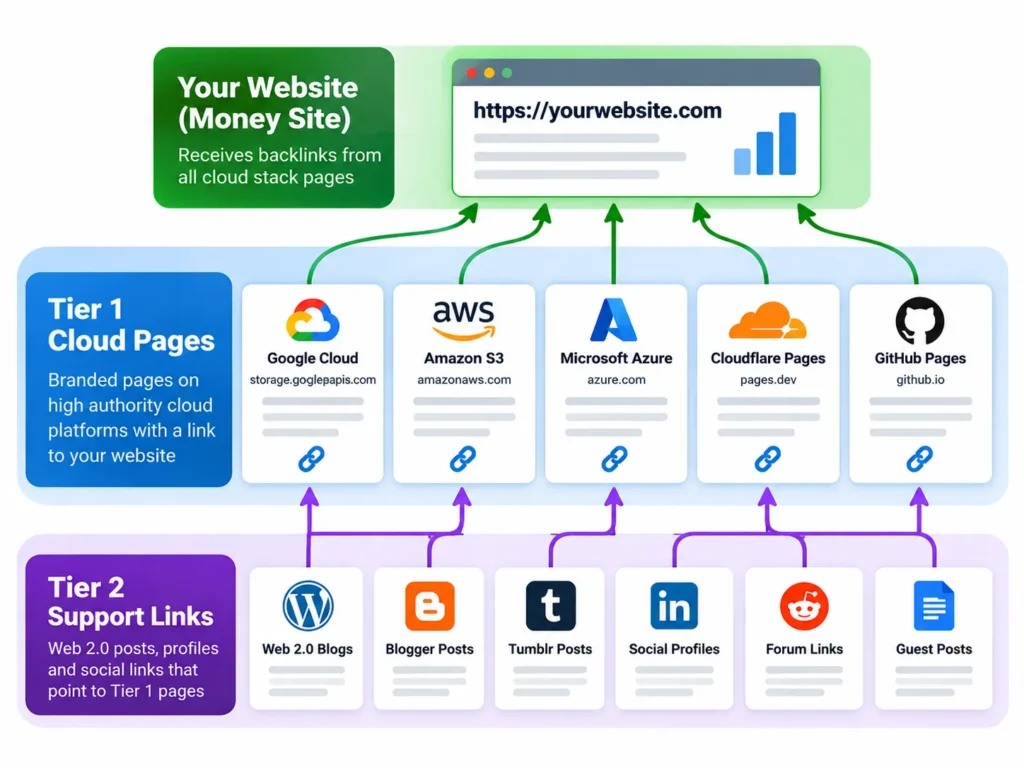
A proper stack has three layers:
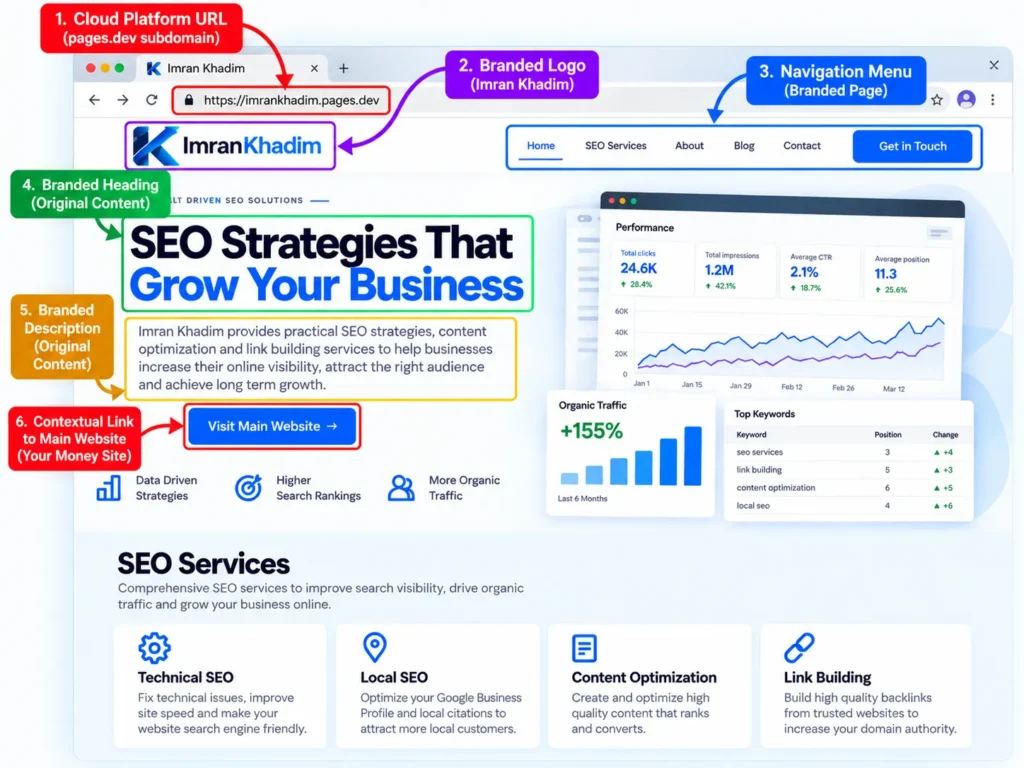
- Tier 1: branded pages on the cloud platforms themselves, each with original content, your business name, address style details where relevant, and one contextual link to your site.
- Tier 2: support links from web 2.0 posts, profiles and social shares that point at the tier 1 pages, so Google crawls and indexes them instead of ignoring them.
- The target: your money site, which receives one clean link from each tier 1 page.
The cloud stacking platforms that matter
Not every cloud service gives you a public, indexable page. These are the ones used in real stacks, grouped by how the link is hosted.
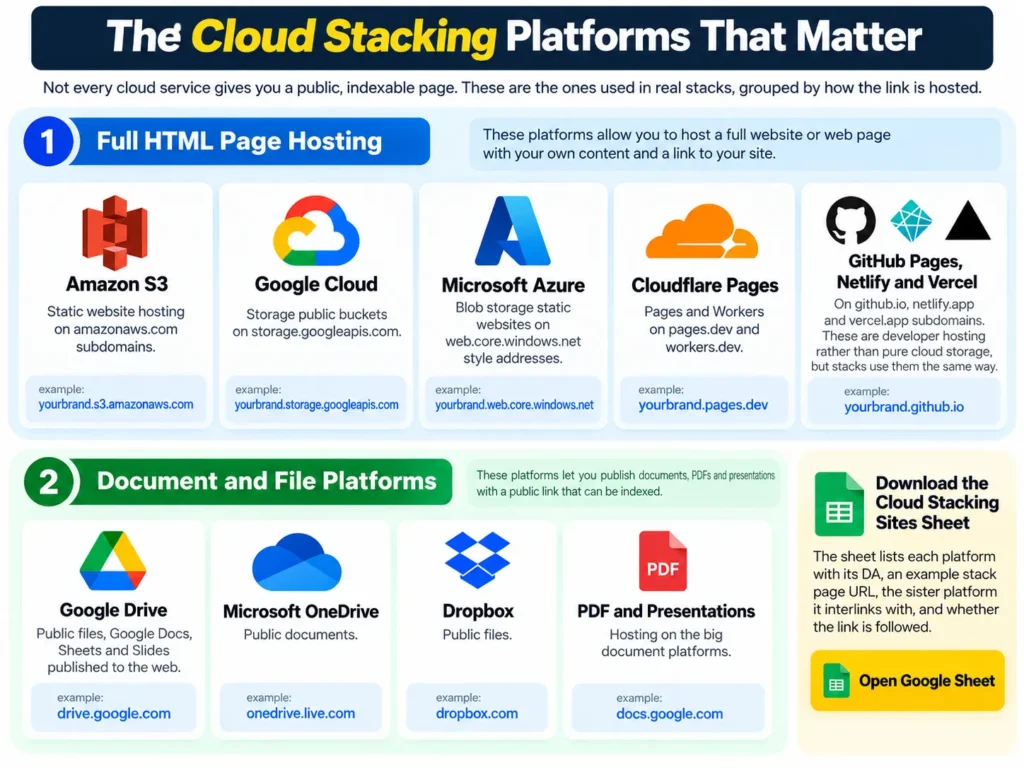
Full HTML page hosting
- Amazon S3 static website hosting, on amazonaws.com subdomains.
- Google Cloud Storage public buckets, on storage.googleapis.com.
- Microsoft Azure Blob storage static websites, on web.core.windows.net style addresses.
- Cloudflare Pages and Workers, on pages.dev and workers.dev.
- GitHub Pages, Netlify and Vercel, on github.io, netlify.app and vercel.app subdomains. These are developer hosting rather than pure cloud storage, but stacks use them the same way.
Document and file platforms
- Google Drive public files, Google Docs, Sheets and Slides published to the web.
- Microsoft OneDrive public documents.
- Dropbox public files.
- PDF and presentation hosting on the big document platforms.
Download the Cloud Stacking Sites Sheet
The sheet lists each platform with its DA, an example stack page URL, the sister platform it interlinks with, and whether the link is followed. Open the cloud stacking sites sheet and make your own copy before you start.
Why cloud stacking backlinks can help
Referring domain diversity on trusted infrastructure
Each platform is a different root domain with enormous trust and crawl frequency. Ten tier 1 pages give your site ten new referring domains that Google already visits daily. For a young site stuck on a handful of referring domains, that diversity is the main gain.
Fast indexing of the stack itself
Cloud platform pages get crawled quickly because the hosts are crawled constantly. A stack page is usually found in days, where a page on a fresh domain can sit unseen for weeks. Fast discovery matters when the whole point is the link on the page.
Entity building for local and brand SEO
A tier 1 page that carries your business name, services, city and link is an entity citation. Stacks of consistent citations help Google connect your brand name, your website and your topic, which supports branded search and local SEO rankings.
No network footprint of your own
Unlike a private blog network, you own none of the infrastructure. There is no shared hosting, no shared IP block of your sites, and no network for Google to wipe out in one move. A platform can close an account, but it cannot deindex your whole stack at once.
The honest limits, because sellers skip them
This section is why this guide exists. Cloud stacking is oversold, and you should know where the pitch breaks.
- A page on an S3 subdomain does not inherit the full authority of amazon.com or amazonaws.com. Search engines judge the page and the subdomain far more than the famous root name. The link is worth something. It is not worth what a link from the Amazon homepage would be, and anyone pricing it that way is selling a story.
- An unindexed stack page passes nothing. Most failed stacks fail here. The pages were built, never got tier 2 links, never got indexed, and the owner blamed the tactic.
- Thin, copied pages get ignored or removed. Platforms clear abuse, and Google ignores pages with no real content. Every tier 1 page needs original, useful text, the same effort as a small blog post.
- Stacks do not replace editorial links. Treat cloud stacking as foundation and diversity work, next to guest posts, digital PR and real content. A profile made only of stacks looks manufactured, because it is. The wider link building strategies guide covers what should sit next to it.
How to build a cloud stack, step by step
Step 1: Prepare one content set per platform
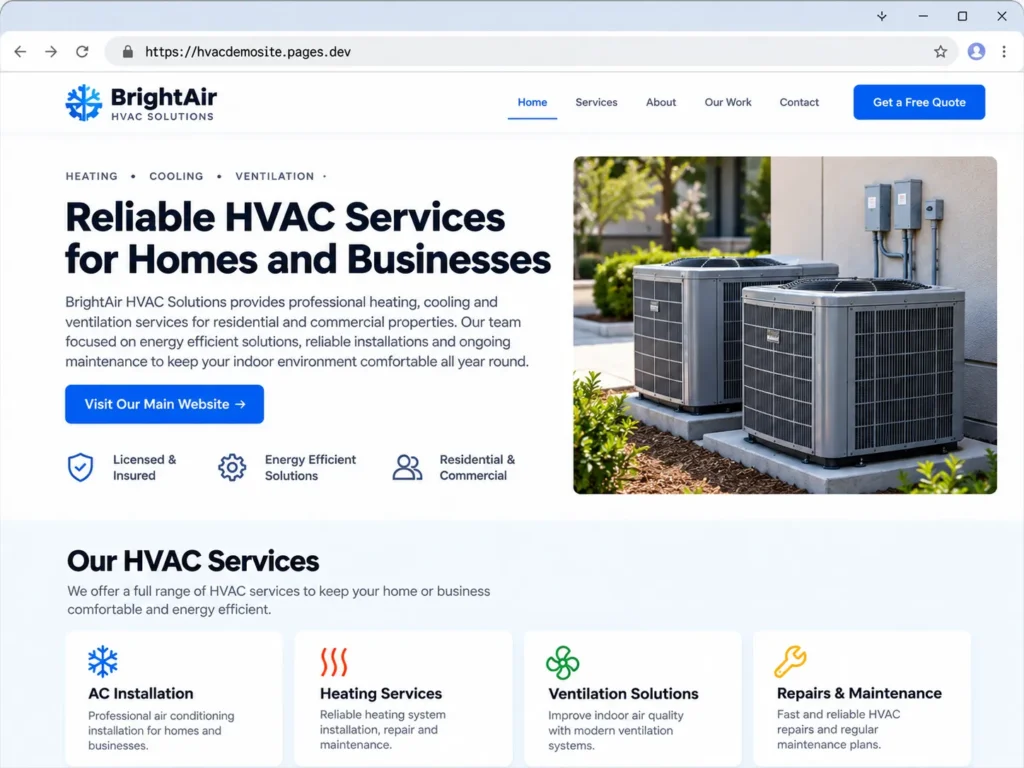
Write a 600 to 900 word page about one service or topic, with your brand name in the title, a natural mention of your city or market if you are local, and one link to the most relevant page of your site. Rewrite it for each platform. Same facts, different words, different structure. Five unique pages beat twenty spun copies.
Step 2: Create the cloud accounts and pages
Use the cloud stacking sites sheet to work platform by platform. Keep a record of every account email, platform, page URL and target URL in your tracking sheet from the first page. Stacks get messy fast without one.
Step 3: Interlink the tier 1 pages
Each cloud page links to one or two sister pages in the stack, with branded anchors. This is what makes it a stack rather than a pile. The interlinking helps every page get crawled through the others.
Step 4: Build tier 2 support links
Point a handful of supporting links at each tier 1 page: a web 2.0 post, a few profile links, social shares, and a Nandla style forum mention where it fits. Five to ten honest tier 2 links per page is enough to get it crawled and indexed.
Step 5: Push indexing and verify
Share each tier 1 URL, include the stack pages in a simple index submission routine, then check indexing after a week with a site search for the exact URL. A page that is not indexed in two weeks needs more tier 2 support or better content, in that order.
Step 6: Maintain the stack
Check the stack monthly with one of the free backlink checker tools. Replace dead pages, refresh one paragraph a quarter on your main tier 1 pages, and add a new platform page when you launch a new service. A living stack compounds. An abandoned one fades.
Anchor text rules for cloud stacks
Keep it boring and branded. Around 70 percent branded and naked URL anchors across the stack, the rest generic and partial match. The tier 1 page title can carry your service phrase, because a page title is content, not an anchor trick. Never put the same exact match keyword anchor on every platform page. That single pattern is what turns a stack into a footprint.
Cloud stacking vs PBN links
| Point | Cloud stacking | PBN links |
|---|---|---|
| Who owns the host | Big public cloud platforms | You or a seller, on bought domains |
| Footprint risk | Low, no shared network of yours | High, one detection can kill every link |
| Cost shape | Mostly labour, platforms are free or cheap | Domains, hosting and upkeep every year |
| Link control | Page can be removed by the platform | Full control until the network is caught |
| Best use | Foundation, diversity, entity signals | Not recommended on this site, see our no PBN pledge on the off page SEO service page |
Cloud stacking questions
Are cloud stacking backlinks dofollow?
On most HTML hosting platforms, yes, the links are followed unless you or the platform set otherwise. Document platforms vary. The sheet marks each platform, and the mix of both types is natural anyway.
How many cloud stack pages does a site need?
A working stack is 8 to 15 tier 1 pages for most small and mid size sites. Beyond that, returns shrink fast and your time is better spent on content and editorial outreach.
How long until a stack helps rankings?
The stack pages index in days to two weeks. Any ranking effect builds over one to three months as part of your wider link profile. Anyone promising a page one jump from a stack is selling, not reporting.
Is cloud stacking safe?
Built by hand with real content, at a sane pace, it is one of the lower risk link types in this series. Built by a bot with spun text on 200 subdomains, it is spam with extra steps. The method is the risk, not the platform list.
Can cloud stacks help a local business?
Yes, this is one of their better uses. Pages carrying consistent business name, service and city details work like strong citations, and local packs reward exactly that consistency. Pair them with the Google Business Profile ranking steps for the best result.
Build your stack, or have it built
The steps above are the whole method. If you would rather spend the hours on your business, I build cloud stacks as part of off page campaigns, with the tier 2 support and indexing checks included, and a live report of every URL.
Message me on WhatsApp to get started.
See what is included in the full off page SEO service.
Read next in this series: Nandla links for forum authority links, and [link web 2.0 article] for the tier 2 properties that power a stack.