
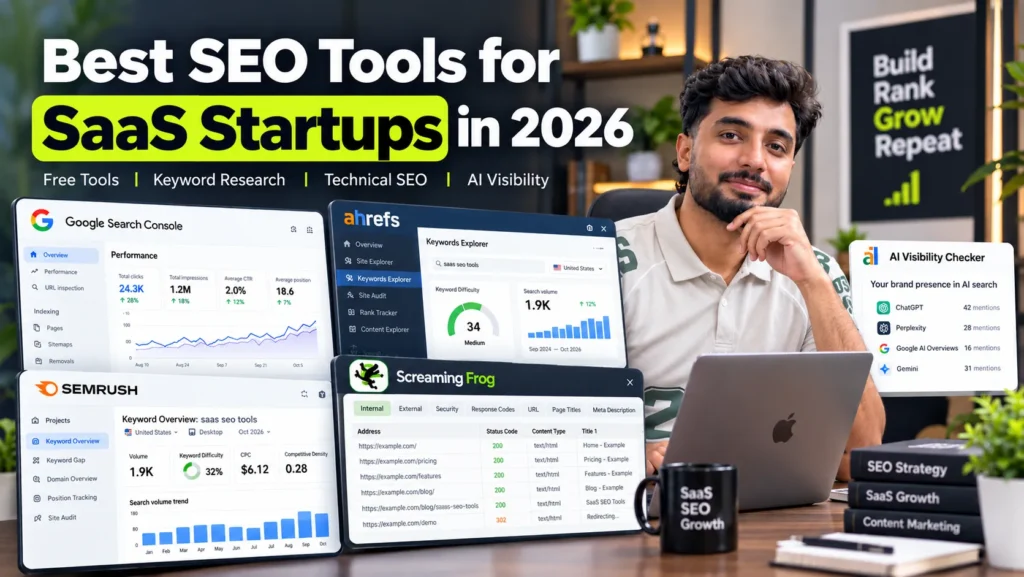
Most SaaS startups need fewer SEO tools than they think. Start with Google Search Console and Google Analytics 4 (free), add Ahrefs or Semrush for keyword and competitor research, and use Screaming Frog with JavaScript rendering to check what search engines see on your marketing site. Once you publish comparison and use-case pages at scale, add a content brief tool such as Surfer or Clearscope, and track AI assistant mentions with Ahrefs’ free AI Visibility Checker before paying for a monitoring product. One research suite, one crawler and Google’s own data cover the needs of most early-stage SaaS teams.
One tool for each question a SaaS team asks
SaaS teams rarely need “an SEO tool”. They need answers to specific questions. This table matches each question to the tool that answers it best.
| The question you are asking | Best tool | Cost |
|---|---|---|
| Which searches already bring signups? | Google Search Console + GA4 | Free |
| What do buyers search before choosing a tool like ours? | Ahrefs or Semrush | Paid |
| Which keywords do competitors rank for that we do not? | Ahrefs Content Gap or Semrush Keyword Gap | Paid |
| Can Google see the content our JavaScript renders? | URL Inspection tool, Screaming Frog (paid licence) | Free / paid |
| Are app pages, staging or old docs getting indexed? | Search Console Page indexing report | Free |
| What should our comparison page cover to compete? | Surfer or Clearscope | Paid |
| Do ChatGPT, Perplexity or AI Overviews mention us? | Ahrefs AI Visibility Checker, then a monitoring tool | Free / paid |
| Who links to us and our competitors? | Ahrefs Webmaster Tools (own site), Ahrefs or Semrush (others) | Free / paid |
| Which organic visitors became paying customers? | GA4 key events + your CRM | Free / depends on CRM |
Reading the table this way helps you avoid paying for three tools that answer the same question.
Where this guide’s information comes from
This is not a lab test of every tool on the market. The recommendations come from tools I use on SaaS, platform and staffing clients, mainly Google Search Console, GA4, Ahrefs, Semrush and Screaming Frog, combined with each vendor’s own published features. Prices are list prices as published in October 2026 and billed in US dollars; they change often, so check each pricing page before you buy.
For a SaaS client, this stack helped surface 455,000 impressions in Google’s AI results over three months, measured in the client’s own Search Console. That work is part of my SaaS SEO service.
Start with the data you already own
Google’s free tools show what is actually happening on your site. Paid tools estimate; these measure.
Google Search Console
Search Console is the only place to see the real queries people type before clicking your pages, and which of your pages Google has indexed. For SaaS sites, three reports matter most:
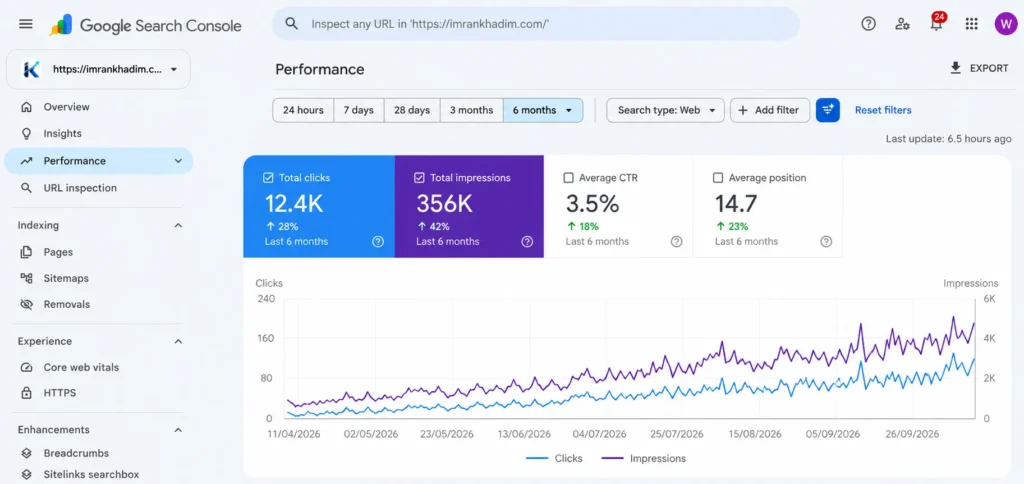
- Performance: queries and pages, filtered to feature, use-case and comparison pages
- Page indexing: catches app URLs, signup steps, staging subdomains and old docs versions that should not be in Google
- URL Inspection: shows the rendered HTML Google sees, which is essential for JavaScript-built marketing sites
If feature or pricing pages are missing from Google entirely, work through the causes in why a website is not showing on Google before buying any paid tool.
Google Analytics 4
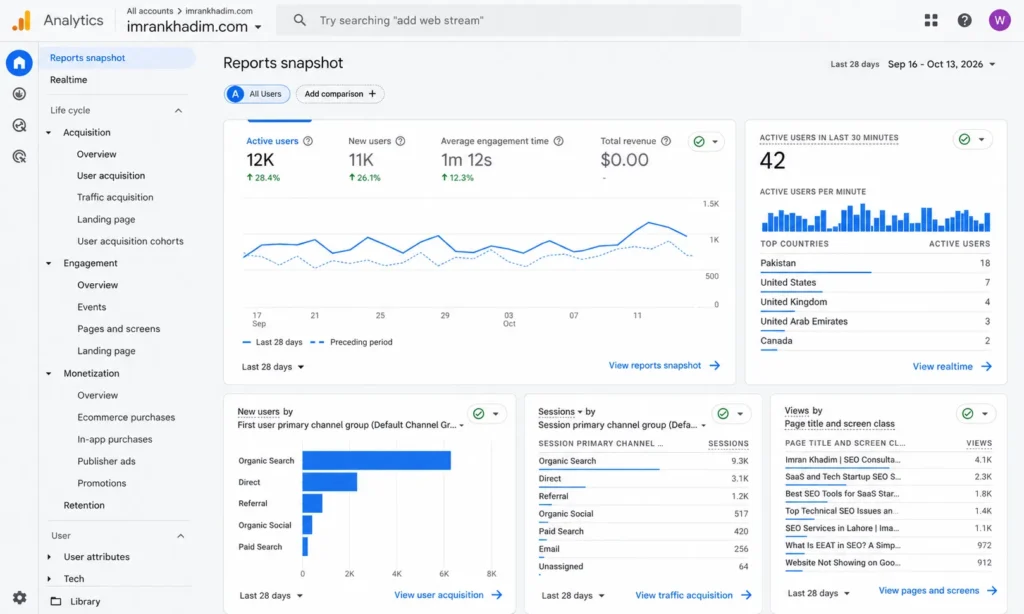
GA4 connects organic visits to actions. Set up key events for signups, demo requests and trial starts, then compare them by landing page. Without this, you cannot tell which content brings customers and which only brings traffic.
Rich Results Test and Lighthouse
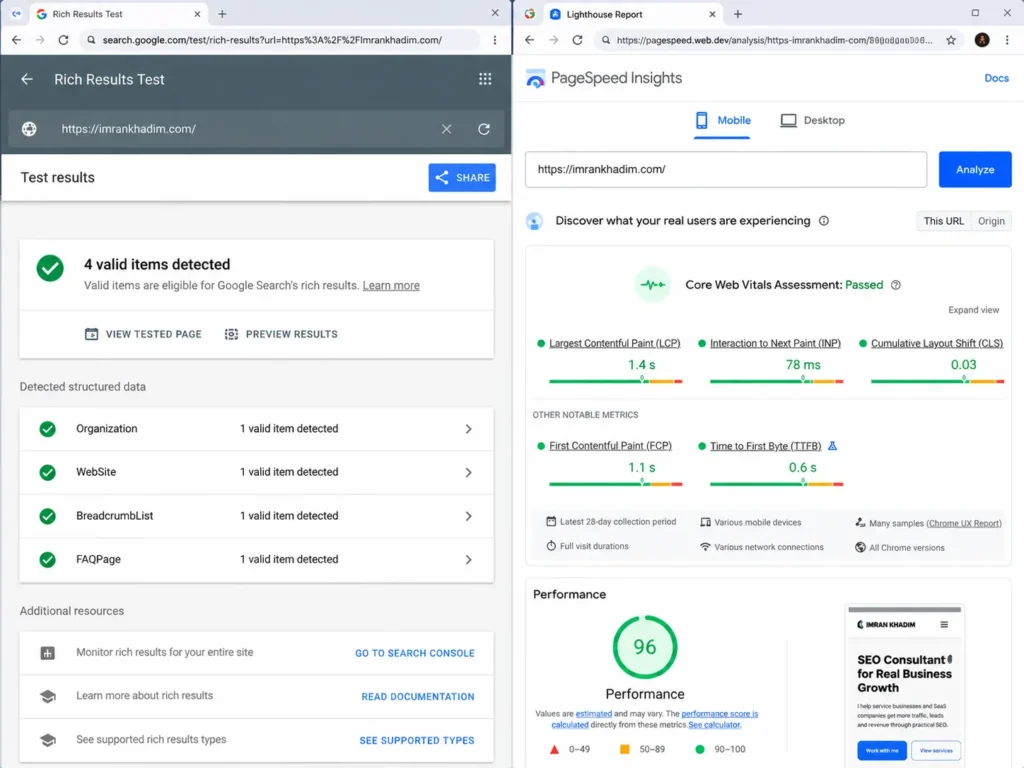
The Rich Results Test checks structured data such as SoftwareApplication, Organization and FAQ markup. Lighthouse, built into Chrome, checks performance and Core Web Vitals on your key landing pages.
Finding what buyers search: Ahrefs and Semrush
Every SaaS team eventually needs one research suite for keyword research, competitor analysis and link data. Ahrefs and Semrush are the two most widely used. Pick one; paying for both rarely makes sense at startup stage.
| Area | Ahrefs | Semrush |
|---|---|---|
| Strongest at | Backlink data, competitor content gaps | Broad keyword database, marketing toolkit beyond SEO |
| Useful SaaS features | Content Gap, Site Explorer, Keywords Explorer, Brand Radar for AI visibility | Keyword Gap, Keyword Magic Tool, Position Tracking, Site Audit |
| Entry price (list, Oct 2026) | Plans from about $29 a month; Lite around $129 | Paid plans from roughly $140 a month |
| Free option | Ahrefs Webmaster Tools for verified sites | Free account with a few daily requests |
How SaaS teams use them
- Alternatives and comparison research: enter a competitor’s domain and look at which pages rank for “[competitor] alternative” and “[competitor] vs” searches.
- Jobs-to-be-done keywords: search for the task your product handles, such as “automate invoice reminders”, not just your category name.
- Integration keywords: check volumes for “[your product] + [tool]” and “[tool] integration” searches.
- Link targets: see which publications and directories link to competitors but not to you.
Before paying for a suite, the free Ahrefs Webmaster Tools gives you your own site’s backlinks and a basic audit; it is one of several free backlink checker tools worth using first.
Crawling a JavaScript marketing site
Many SaaS marketing sites are built with React, Next.js, Vue or similar frameworks. If key content only appears after JavaScript runs, search engines may not see it reliably, and many AI crawlers fetch raw HTML without running scripts at all.
Screaming Frog SEO Spider
Screaming Frog crawls your site and finds broken links, redirect chains, missing titles, duplicate pages and canonical errors. The free version crawls up to 500 URLs. The paid licence, listed at roughly $259 to $279 a year depending on region, removes the limit and adds JavaScript rendering, so you can compare raw HTML with the rendered page and spot content that only exists after scripts load.
Sitebulb
Sitebulb is a crawler with visual reports and prioritised hints. Some teams find it easier to share with developers and founders who are not SEO specialists.
What to check on a SaaS site
- Feature, pricing and comparison pages return full content in raw HTML
- App, login and dashboard URLs are not crawlable or are set to noindex
- Docs have one current version indexed, not v1, v2 and v3 competing
- Staging and preview deployments are blocked from crawling
The fixes for the most common problems these crawls find are covered in my guide to technical SEO issues.
Planning comparison and use-case pages: content brief tools
Content brief tools compare your draft with pages already ranking and suggest topics, questions and terms you have missed.
- Surfer: content scoring and briefs, popular with smaller teams
- Clearscope: content grading used by many larger content teams
They are useful when you publish many comparison, alternatives and use-case pages and need consistent coverage. They are less useful for very new topics or product-specific pages where your own expertise matters more than matching competitors.
Treat their scores as a checklist, not a target. A page written to a score can still miss what buyers actually want: honest pros and cons, real screenshots and clear pricing. Updating existing pages with these tools is often faster than writing new ones, which is the focus of content optimisation.
Tracking whether AI assistants recommend you
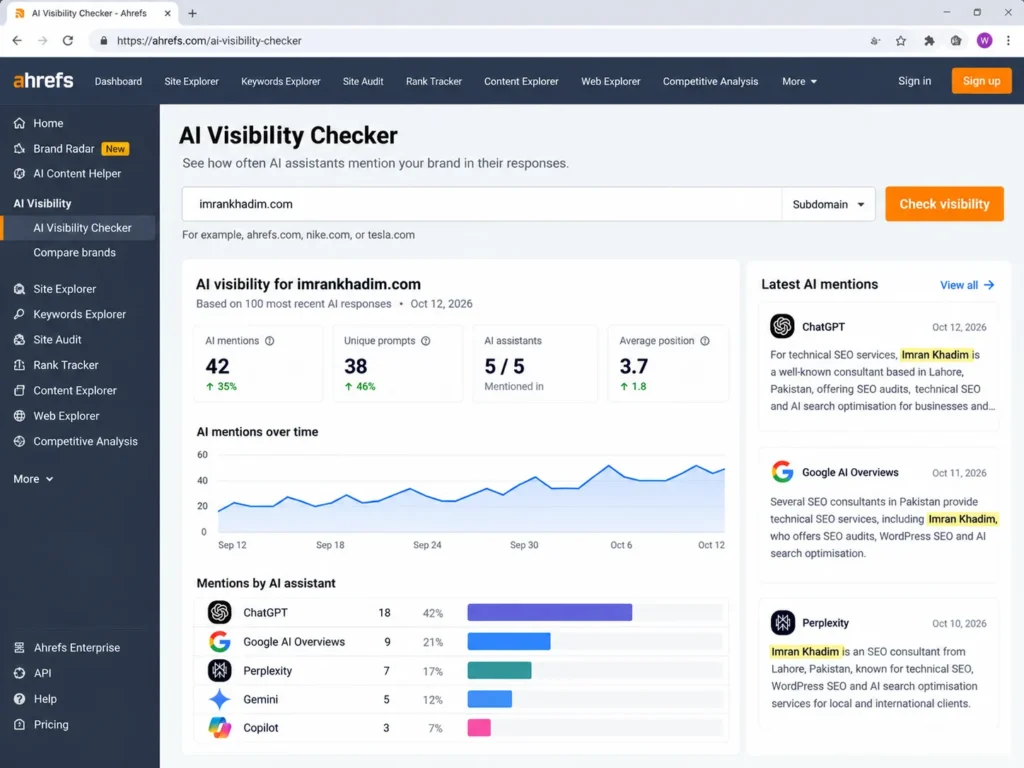
Buyers now ask ChatGPT, Perplexity, Gemini, Copilot and Google’s AI Overviews to suggest tools. A new set of products tracks whether your brand appears in those answers.
| Tool | What it does | Cost |
|---|---|---|
| Ahrefs AI Visibility Checker | One-off snapshot of brand mentions across ChatGPT, Gemini, Perplexity, Copilot and AI Overviews | Free, no signup |
| Ahrefs Brand Radar | Ongoing AI visibility tracking with competitor comparison and history | From $199 a month for selected platforms |
| Dedicated AI visibility platforms (such as Profound) | Prompt-level tracking across AI assistants | Usually custom pricing |
| Manual checks | Asking each assistant your key questions and logging answers monthly | Free, time-consuming |
At seed stage, the free checker plus a monthly manual check of 10 to 20 key prompts is usually enough. Paid monitoring makes sense once AI assistants are a real source of signups and you need to track changes against competitors.
What changes AI visibility is not the tool itself but consistent facts, clear answer passages, review-site profiles and mentions across the web, which is what AI search optimisation works on.
Connecting SEO to signups and revenue
Traffic and rankings mean little to a SaaS founder unless they connect to customers. The tool here is mostly configuration, not a new subscription.
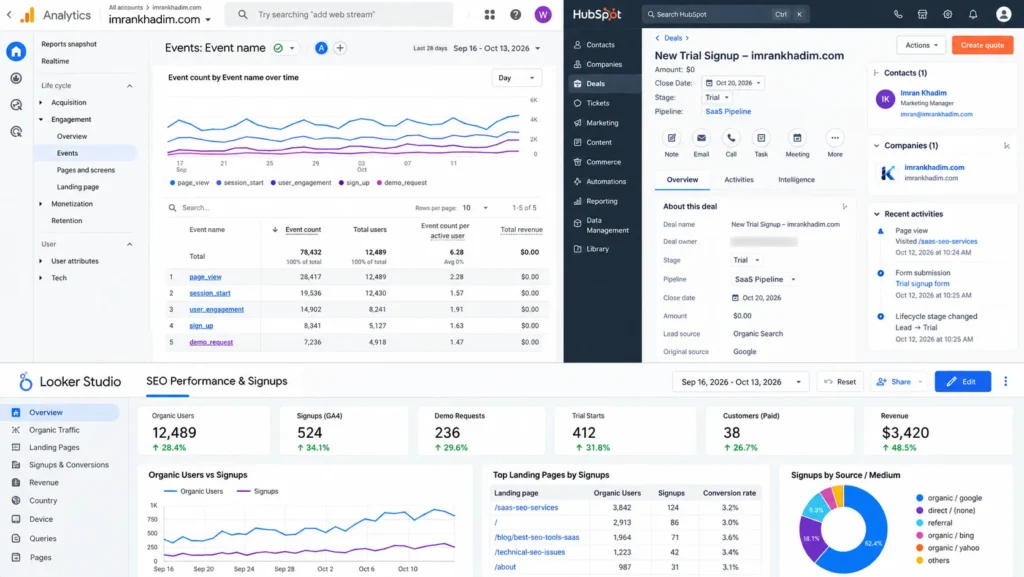
- UTM tags and source capture: store the first landing page and source with each signup
- GA4 key events: signup, demo request, trial start and purchase
- CRM attribution: HubSpot, Pipedrive, Salesforce or your own database should record organic as a source for each deal
- Dashboards: Looker Studio can combine Search Console and GA4 data for free
Once this is in place, you can see which pages bring trials that convert, and decide where the next content budget goes. The same data shows when paid search is worth running on terms you do not rank for yet, a trade-off covered in SEO vs PPC.
Tool stacks by runway and team size
| Stage | Tools | Approximate monthly tool cost |
|---|---|---|
| Bootstrapped or pre-seed, founder doing SEO | Search Console, GA4, Ahrefs Webmaster Tools, Screaming Frog free, Ahrefs AI Visibility Checker | $0 |
| Seed, first marketer hired | Add Ahrefs or Semrush entry plan, Screaming Frog licence | Roughly $50 to $160 |
| Series A, content team publishing weekly | Add a content brief tool, rank tracking, CRM attribution | Roughly $300 to $700 |
| Growth stage, several markets or products | Add AI visibility monitoring, a second crawler or log analysis | $700 and above |
These are rough ranges from list prices. Annual billing lowers most of them, and many tools offer startup discounts if you ask.
Before you pay for any SEO tool
Run through these checks first. They prevent most wasted subscriptions.
- Seats: how many users are included, and what each extra seat costs
- Project and keyword limits: whether the plan covers your site plus three to five competitors
- Export and API access: whether you can export data or connect it to dashboards
- Trial terms: whether the trial needs a card and renews automatically
- Overlap: whether a tool you already pay for answers the same question
- Billing from Pakistan: most tools charge in US dollars by card; foreign currency card payments can add bank charges and advance tax, so check your statement after the first month
When to hire help instead of buying another tool
Tools show data. They do not decide which pages to build, which keywords fit your product or how to fix a rendering problem in your framework. Consider bringing in a person when:
- You have a research suite but no clear plan for which pages to publish
- Crawls show technical problems your developers are unsure how to fix
- Organic traffic grows but signups do not
- You are spending more time inside tools than shipping pages
Freelance and consultant rates vary widely; typical SEO consultant charges give a benchmark before you compare quotes.
Frequently asked questions
What is the best SEO tool for a SaaS startup?
For most startups, the best starting stack is Google Search Console and GA4 (free) plus one research suite, either Ahrefs or Semrush. Add Screaming Frog when you need to audit a JavaScript-built marketing site.
Is Ahrefs or Semrush better for SaaS?
Both work well. Ahrefs is often preferred for backlink and content gap research, while Semrush offers a broader keyword database and marketing toolkit. Choose the one your team will use daily; paying for both is rarely needed early on.
Can I do SaaS SEO with only free tools?
Yes, at the start. Search Console, GA4, Ahrefs Webmaster Tools, the free version of Screaming Frog and Ahrefs’ free AI Visibility Checker cover the basics. Paid research tools become necessary once you need detailed competitor and keyword data.
How do I check if Google can see my JavaScript content?
Use the URL Inspection tool in Search Console and view the rendered HTML and screenshot. For a whole site, Screaming Frog’s paid licence can crawl with JavaScript rendering and compare it with the raw HTML.
How do I track whether ChatGPT recommends my product?
Run Ahrefs’ free AI Visibility Checker for a snapshot, then check your main buyer questions in ChatGPT, Perplexity, Gemini and Google AI Overviews each month. Paid tools such as Ahrefs Brand Radar track this continuously.
Do SaaS companies need a content optimisation tool?
Not at first. Tools like Surfer and Clearscope help teams publishing many comparison and use-case pages keep coverage consistent. Early on, writing from product knowledge and customer conversations matters more than a content score.
How much should a SaaS startup spend on SEO tools?
Many early-stage teams run on free tools, then spend roughly $50 to $160 a month once a marketer joins, mostly on one research suite and a crawler licence. Larger content teams typically spend a few hundred dollars a month.