
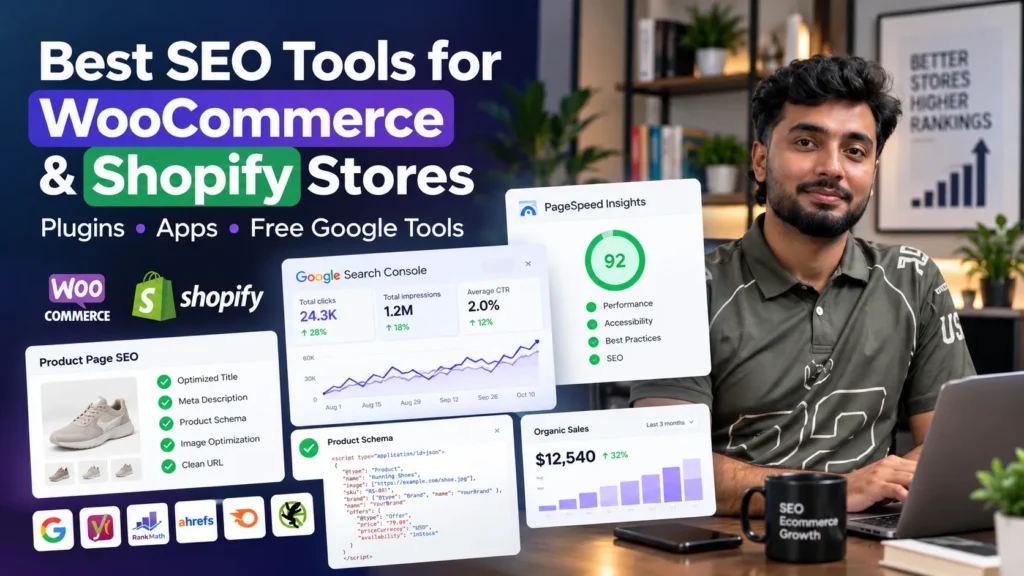
The best SEO tools for online stores start free: Google Search Console, Google Analytics 4, Google Merchant Center and PageSpeed Insights. On WooCommerce, add one SEO plugin such as Rank Math, Yoast SEO or All in One SEO, plus a caching and image plugin. On Shopify, use its built-in SEO settings first, then add apps only for gaps such as image compression, structured data and reviews. For audits and research, Screaming Frog’s free version and Ahrefs Webmaster Tools cover most small stores before paid suites like Ahrefs or Semrush are needed.
How these tools were chosen
Online stores need different tools from a blog or a service website. Product pages, categories, filters, variants and thousands of images create problems a normal site never faces. Every tool in this guide was judged on:
- The ecommerce job it does: product schema, category pages, image weight, crawl control or Shopping visibility
- Platform fit: whether it works natively with WooCommerce, Shopify or both
- Free value: what you get before paying anything
- Site impact: whether it slows the store or leaves code behind
- Real use: most of these tools are ones I use on client stores, including Google Search Console, Screaming Frog, Ahrefs, Semrush and Rank Math
Tool choice is only one part of growing a store’s organic traffic; the rest is category structure, product content and links, which e-commerce SEO covers as a whole.
The best ecommerce SEO tools at a glance
| Tool | Platform | Main job | Cost |
|---|---|---|---|
| Google Search Console | Both | Indexing, queries, errors | Free |
| Google Analytics 4 | Both | Organic sales and behaviour | Free |
| Google Merchant Center | Both | Free product listings and Shopping | Free (ads paid separately) |
| PageSpeed Insights | Both | Speed and Core Web Vitals | Free |
| Rank Math | WooCommerce | Titles, schema, sitemaps, redirects | Free, with paid Pro |
| Yoast SEO | WooCommerce | Titles, schema, sitemaps | Free, with paid Premium and WooCommerce add-on |
| All in One SEO | WooCommerce | Titles, product schema, sitemaps | Free Lite, with paid plans |
| Shopify built-in SEO | Shopify | Titles, meta, sitemap, robots.txt, canonicals | Included |
| Shopify Search & Discovery | Shopify | Filters and product recommendations | Free app from Shopify |
| Screaming Frog SEO Spider | Both | Crawling and technical audits | Free up to 500 URLs; paid licence above |
| Ahrefs Webmaster Tools | Both | Backlinks and site audit for your own store | Free for verified sites |
| Ahrefs or Semrush | Both | Keyword and competitor research | Paid |
App and plugin prices change often and are billed in US dollars, so check each tool’s own pricing page before you commit.
Free tools every store should set up first
These cost nothing and give data no paid tool can fully replace.
Google Search Console
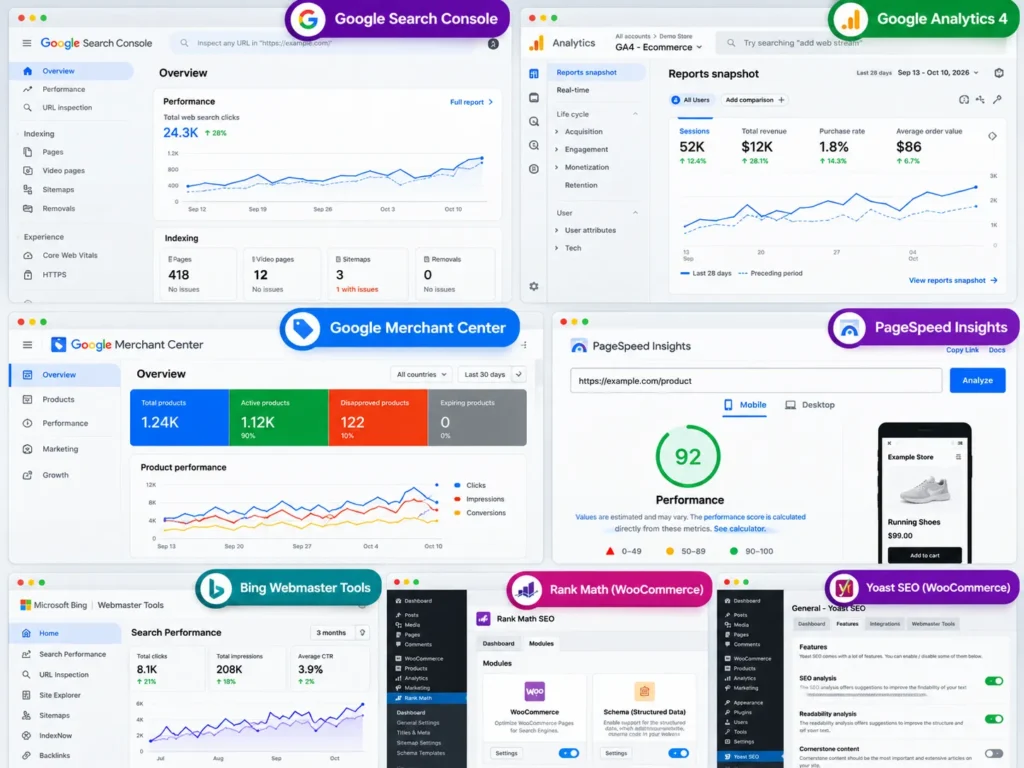
Search Console shows which product and category pages are indexed, which searches bring visitors and which pages have errors. For stores, the Page indexing report is especially useful for spotting filter URLs, out-of-stock pages and duplicate variants that should not be indexed. If products are missing from Google entirely, start with the checks in my guide to why a website is not showing on Google.
Google Analytics 4
GA4 tracks what organic visitors do: which landing pages lead to purchases, add-to-cart rates and revenue by channel. Set up ecommerce events so you can see revenue from organic search, not just traffic.
Google Merchant Center
Merchant Center lets your products appear in Google’s free product listings across the Shopping tab and other Google surfaces, as well as in paid Shopping ads. Both platforms connect to it through official integrations: the Google & YouTube app on Shopify and Google for WooCommerce on WordPress. If you later run Shopping ads, my guide to Google Ads cost in Pakistan explains typical click prices for online stores.
PageSpeed Insights
Product pages with large images, sliders and app scripts are often slow on mobile. PageSpeed Insights shows Core Web Vitals and the main causes, such as oversized images or render-blocking scripts.
Bing Webmaster Tools
A free second view of crawl errors and backlinks, with a simple import from Search Console.
Best SEO plugins for WooCommerce
WooCommerce runs on WordPress, so most of its SEO comes from WordPress plugins. Use one main SEO plugin. Running two at once creates duplicate tags and conflicting schema.
Rank Math
Rank Math is a popular choice for WooCommerce stores because its free version already handles a lot:
- Custom titles and meta descriptions for products and categories
- Automatic product schema for WooCommerce products
- XML sitemaps and a built-in redirection manager
- Options to noindex tag archives and other thin pages
The paid version adds more schema options and tools for larger stores.
Yoast SEO
Yoast is the longest-running WordPress SEO plugin, known for simple setup and readable content analysis. For stores, Yoast sells a separate WooCommerce SEO add-on that extends product schema and product-specific settings.
All in One SEO (AIOSEO)
AIOSEO covers titles, sitemaps and WooCommerce product schema, with a guided setup that suits beginners.
Which of the three you pick matters less than configuring it properly. Most WooCommerce SEO problems come from wrong settings, not the wrong plugin. Getting these settings right, along with speed and plugin clean-up, is part of WordPress SEO work.
Speed and image plugins for WooCommerce
SEO plugins do not fix speed. Most WooCommerce stores also need:
- A caching plugin, such as LiteSpeed Cache (free, on LiteSpeed servers) or WP Rocket (paid)
- An image optimiser, such as ShortPixel, Imagify or EWWW Image Optimizer, to compress images and serve WebP or AVIF
- A redirect manager for discontinued products and changed URLs, built into Rank Math or available through the free Redirection plugin
Hosting matters as much as plugins. Cheap shared hosting is often the main reason WooCommerce stores in Pakistan load slowly during sales.
Best SEO apps and tools for Shopify
Shopify handles more SEO for you than WooCommerce, so check what is already built in before installing anything.
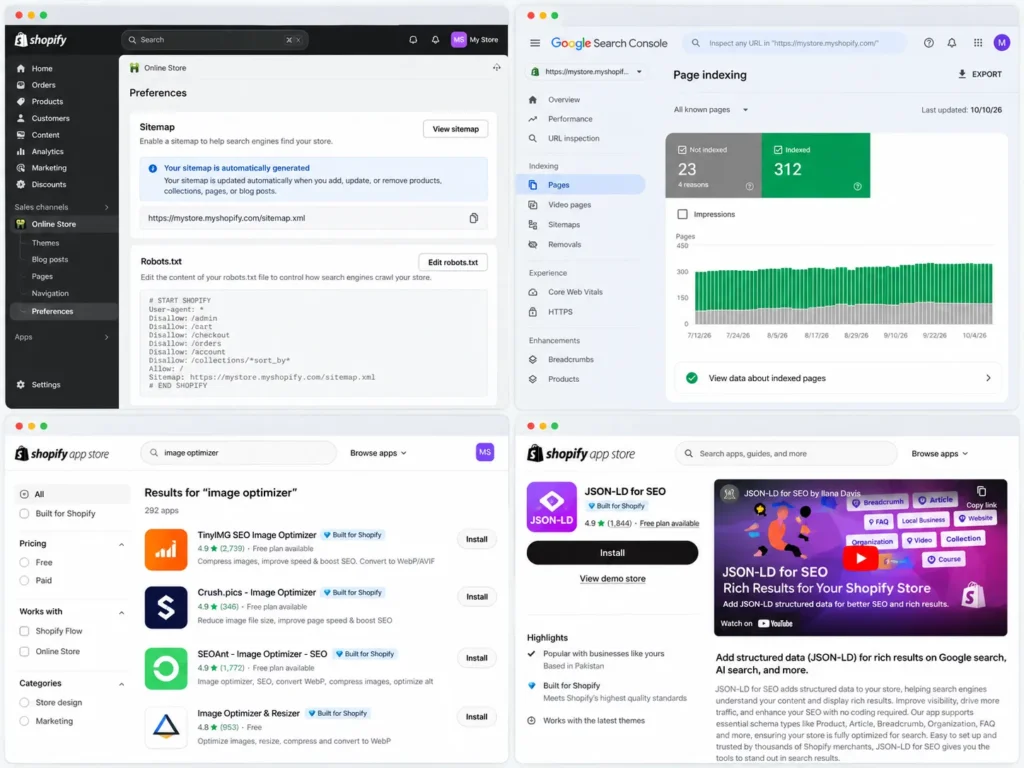
What Shopify already does
- XML sitemap: generated automatically at yourstore.com/sitemap.xml and updated when you add products, collections, pages or posts
- Robots.txt: set up by default to block cart, checkout, account and sorted collection URLs; editable through the
robots.txt.liquidtheme file - Canonical tags: added automatically, so variant URLs point to the main product URL
- Titles, meta descriptions and alt text: editable on products, collections, pages and blog posts
- URL redirects: built into the admin under Navigation
Search & Discovery
Shopify’s free Search & Discovery app manages product filters, search results and product recommendations. Filters help shoppers, but each filter combination can also create new URLs, so check how they appear in Search Console.
Image compression apps
Product photos are the heaviest part of most Shopify stores. Apps such as TinyIMG and Crush.pics compress images and help manage alt text in bulk. Check that an app compresses your existing images, not only new uploads.
Structured data apps
Most modern Shopify themes include basic product schema. If yours does not, or you need richer markup such as reviews, brand and stock status, an app such as JSON-LD for SEO adds it. Test with Google’s Rich Results Test before and after installing, to avoid duplicate schema.
All-in-one Shopify SEO apps
Apps such as Plug in SEO, SEO Manager and Booster SEO check titles, meta descriptions, broken links and alt text across the store. They are useful for stores without technical help, but much of what they do can be done manually for small catalogues.
Review apps
Review apps such as Judge.me collect product reviews, show them on product pages and can add review schema. Fresh reviews also add unique content to product pages, which helps when many stores sell the same products.
A warning about app bloat: every app can add scripts to your theme, and some leave code behind after you uninstall them. Install only what you need, and check theme code or speed after removing apps.
Research and audit tools for both platforms
These tools work on any store, whatever platform it runs on.
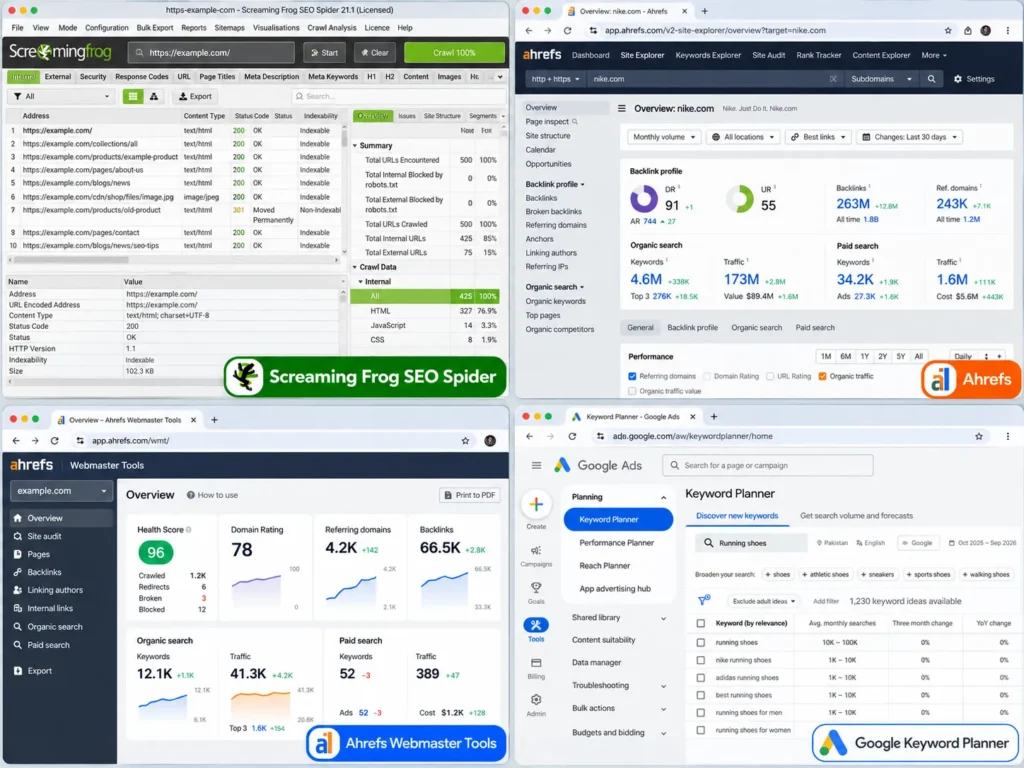
Screaming Frog SEO Spider
Screaming Frog crawls your store like a search engine and finds broken links, redirect chains, missing titles, duplicate content and thin pages. The free version crawls up to 500 URLs, which covers small stores; larger catalogues need the paid licence. It is the main tool for finding the problems in my list of common technical SEO issues.
Ahrefs and Semrush
These paid suites are the main tools for keyword research, competitor analysis and backlink tracking. For stores, they show which category and product keywords competitors rank for, and which of your pages are close to page one.
Ahrefs Webmaster Tools
A free way to see backlinks and run a site audit on your own verified store. It is one of several free backlink checker tools worth using before paying for a suite.
Google Keyword Planner
Free with a Google Ads account. Search volumes are shown as ranges unless you run ads, but it is still useful for comparing product and category terms.
Which tools to use at each store size
| Store size | Tool stack | Monthly tool cost |
|---|---|---|
| New store, under 100 products | Search Console, GA4, Merchant Center, one SEO plugin or Shopify built-ins, an image optimiser | Free or close to free |
| Growing store, 100 to 2,000 products | Add Screaming Frog paid licence or Ahrefs Webmaster Tools, a review app, a caching plugin or better hosting | Low |
| Large store, 2,000+ products | Add Ahrefs or Semrush, Sitebulb or Screaming Frog for regular crawls, schema and log monitoring | Medium to high |
Most small Pakistani stores do not need paid research suites in their first year. The free stack, used consistently, finds most of the problems that hold rankings back.
What SEO tools cannot fix
Tools find problems and make changes easier. They do not replace decisions only a person can make:
- Duplicate product descriptions copied from the manufacturer or supplier, shared by every store selling the same item
- Category structure that does not match how customers search
- Filter URLs that create thousands of near-duplicate pages
- Thin collection pages with no introductory text or useful information
- Out-of-stock and discontinued products, which need a clear plan for redirects or keeping pages live
Title tags, headings and internal links still need to be written by someone who understands the products and the customers. The page-level basics are covered in my list of on-page SEO factors.
Common tool mistakes on ecommerce sites
- Installing two SEO plugins on WooCommerce, which doubles meta tags and schema
- Stacking Shopify apps that each add scripts and slow product pages
- Trusting a plugin’s green light as proof a page will rank
- Auto-generating meta descriptions for thousands of products without checking a sample
- Blocking important pages in robots.txt while trying to stop filter URLs from being crawled
- Never checking mobile speed on a real phone over mobile data
Mobile performance deserves special attention, because most shoppers in Pakistan browse and buy on phones. Testing product pages on mid-range Android devices is a regular part of mobile SEO work.
WooCommerce or Shopify: does the platform change your tools?
Both platforms can rank well. The difference is how much you manage yourself.
| Area | WooCommerce | Shopify |
|---|---|---|
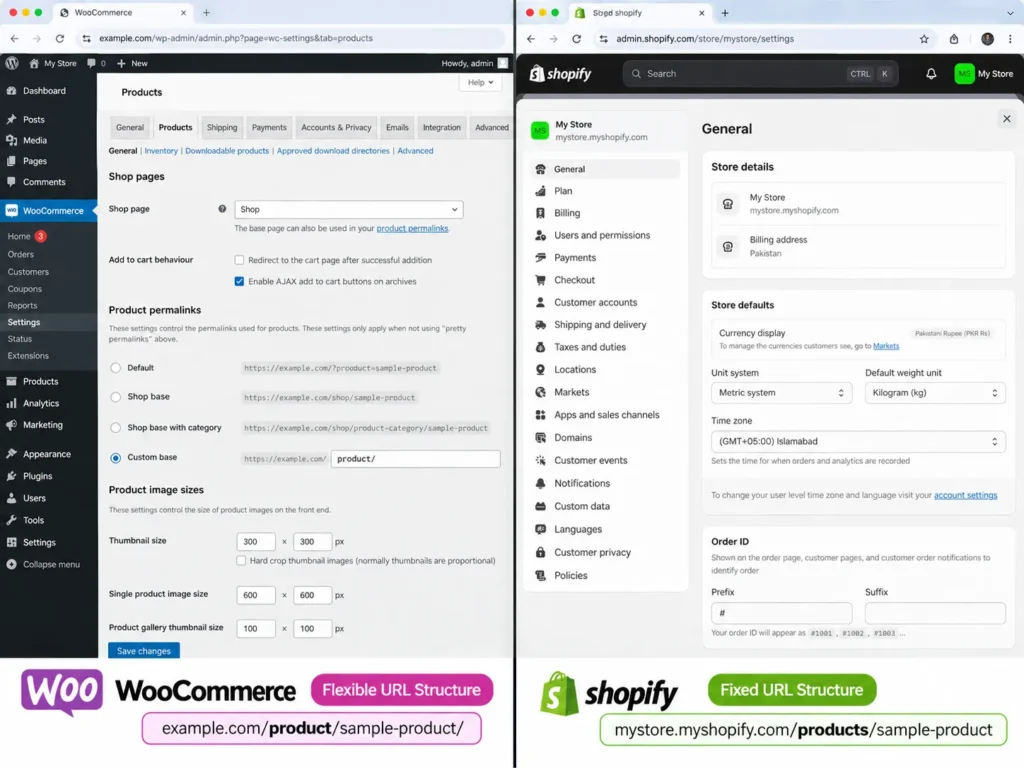
| SEO control | Full control through plugins and code | Strong defaults, some limits on URL structure |
| Sitemap and robots.txt | Through SEO plugin | Automatic, robots.txt editable via theme file |
| Speed | Depends on hosting, theme and plugins | Hosting handled by Shopify; apps and themes affect speed |
| Tool costs | Many free plugins; paid add-ons optional | Monthly plan plus paid apps in US dollars |
| Local payments and couriers | Plugins for local gateways and couriers | Third-party apps and gateways |
Shopify’s URL structure is fixed, with paths such as /products/ and /collections/, which you cannot change. WooCommerce lets you set URL structures through WordPress settings. If you are still choosing a platform, build and running costs for both are covered in my guide to website design cost in Pakistan.
Frequently asked questions
What is the best free SEO tool for an online store?
Google Search Console is the most important free tool, because it shows how Google sees your products and categories. Pair it with Google Analytics 4 for sales data and Google Merchant Center for free product listings.
Which is the best SEO plugin for WooCommerce?
Rank Math, Yoast SEO and All in One SEO are all solid choices. Rank Math’s free version includes product schema and redirects, while Yoast offers a separate WooCommerce add-on. Choose one and configure it carefully rather than installing several.
Do Shopify stores need an SEO app?
Not always. Shopify already generates sitemaps, canonical tags and editable titles and meta descriptions. Add apps only for specific gaps, such as image compression, richer structured data or product reviews.
Can SEO apps slow down a Shopify store?
Yes. Many apps add scripts to your theme, and some leave code behind after uninstalling. Keep the number of apps low and check page speed after adding or removing one.
Do I need Ahrefs or Semrush for a small store?
Usually not at the start. Search Console, GA4, Ahrefs Webmaster Tools and the free version of Screaming Frog cover most needs for small stores. Paid suites become useful when you compete on many keywords or run regular competitor research.
How do I add product schema to my store?
On WooCommerce, an SEO plugin such as Rank Math, Yoast with its WooCommerce add-on or AIOSEO adds product schema. On Shopify, most modern themes include it, and apps can add richer markup. Test product pages in Google’s Rich Results Test after any change.
Is Google Merchant Center free?
Yes. Listing products in Google’s free product listings through Merchant Center costs nothing. You only pay if you choose to run Shopping or Performance Max ads.
About the author
Imran Khadim is an SEO consultant based in Lahore who works on ecommerce SEO for WooCommerce and Shopify stores in Pakistan, the UK and Europe, including a German store that grew from zero to 13,600 organic clicks in six months. He uses Google Search Console, Screaming Frog, Ahrefs, Semrush and Rank Math on client stores every week. If you want to know which tools and fixes your store needs first, his free SEO audit includes a review of indexing, speed and product page setup.
Sources: Shopify Help Center, sitemap and SEO settings; Google Search Central and Google Merchant Center Help (free product listings); Screaming Frog (free version limit); plugin and app details from each provider’s published features in 2026. Prices change often; check each tool’s own pricing page.