
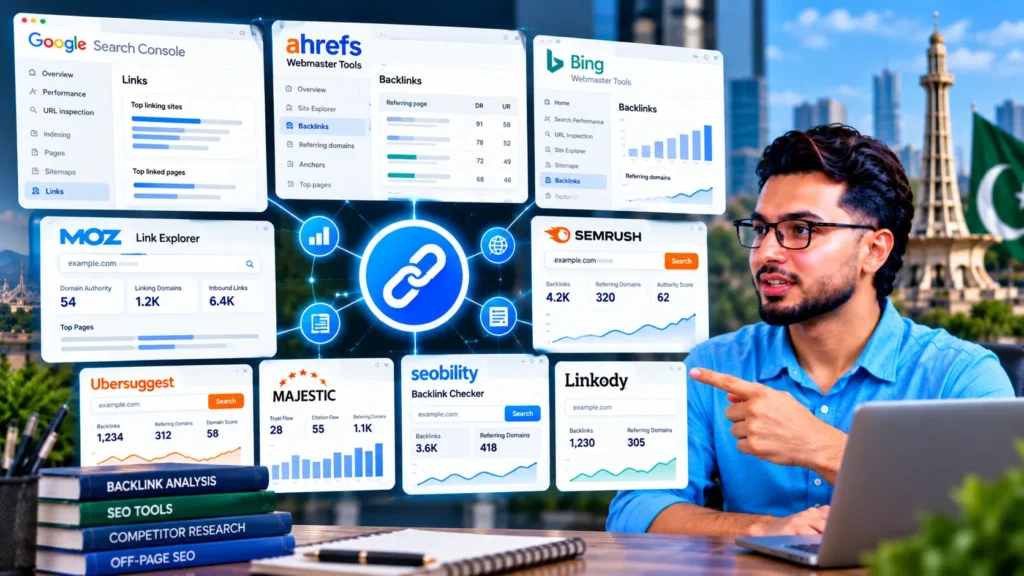
The best free backlink checkers in 2026 are Google Search Console, Ahrefs Webmaster Tools and Bing Webmaster Tools for your own website, and the Ahrefs free Backlink Checker, Moz Link Explorer, Seobility and Semrush’s free account for checking other websites. Free tools show only part of a site’s backlinks, so the most complete free picture comes from combining two or three of them rather than relying on one.
Free backlink checkers at a glance
Free limits change often. The figures below reflect each tool’s free offer as published by the provider or reported in independent comparisons in mid to late 2026. Check the tool’s own page before relying on an exact number.
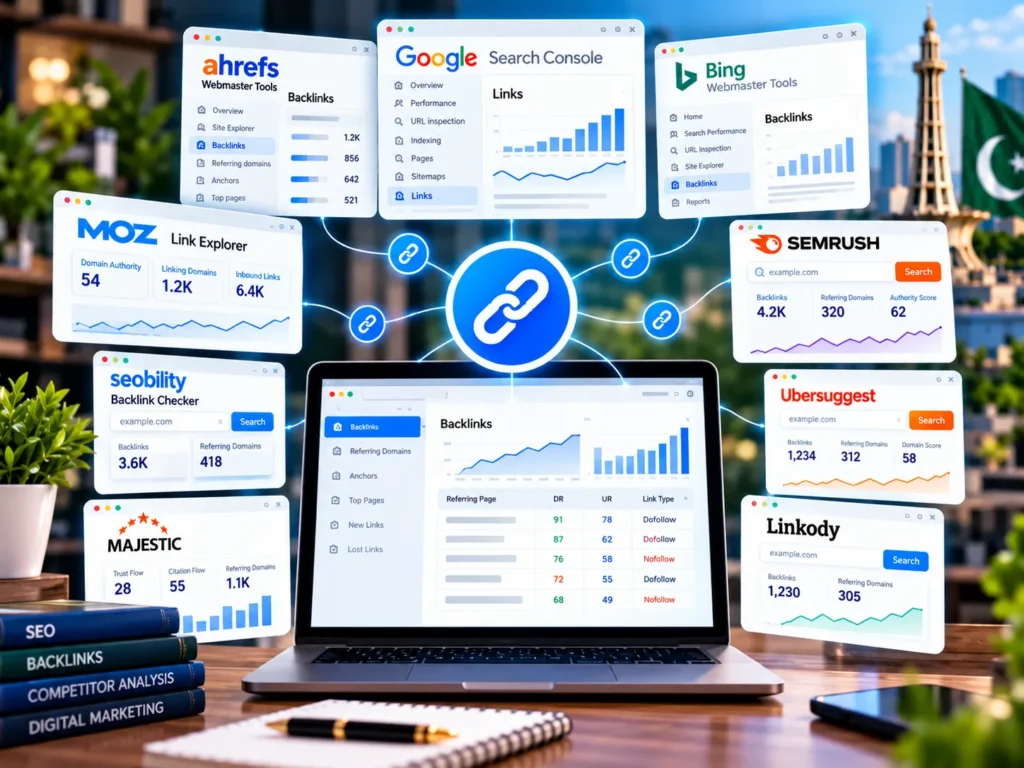
| Tool | Checks your own site | Checks any site | Free limit (approx.) | Sign-up |
|---|---|---|---|---|
| Google Search Console | Yes | No | No usage limit; sample of links | Google account + verification |
| Ahrefs Webmaster Tools (Ahrefs Free) | Yes | No | Up to 1,000 backlinks shown per site | Free account + verification |
| Bing Webmaster Tools | Yes | Compare with similar sites | No usage limit | Microsoft account + verification |
| Ahrefs free Backlink Checker | Yes | Yes | Top links only, about 100 rows | Free account for full metrics |
| Moz Link Explorer | Yes | Yes | 10 queries a month, 50 rows | Free Moz account |
| Semrush (free account) | Yes | Yes | About 10 requests a day across all tools | Free Semrush account |
| Seobility Backlink Checker | Yes | Yes | About 3 checks a day, up to 400 rows | Not required |
| Ubersuggest | Yes | Yes | A few searches a day | Free account |
| Majestic | Yes | Yes | Summary metrics; most detail is paid | Optional |
| Linkody free checker | Yes | Yes | About 100 rows, no daily cap | Not required |
Free checkers are useful for spot checks, competitor research and keeping an eye on your own profile, which is the routine side of off-page SEO. They are not built for full audits of large sites.
How these tools were chosen
A list of “best” tools is only useful if the reasons are clear. Each tool here was judged on five things:
- Whose data it uses. Google’s and Bing’s own tools show links their crawlers found. Ahrefs, Semrush, Moz and Majestic run their own crawlers and indexes.
- How much the free version shows. Number of rows, number of checks and which metrics are hidden.
- Own site or any site. Some free tools only work for sites you can verify; others let you look at competitors.
- Ease of use for a business owner, not just an SEO professional.
- Export. Whether you can download the data to work with it in Google Sheets or Excel.
Best free tools for checking your own backlinks
If you only need to see links pointing to your own website, start here. These tools are free with no daily caps once your site is verified.
1. Google Search Console (Links report)
Best for: seeing the links Google itself has found to your site.
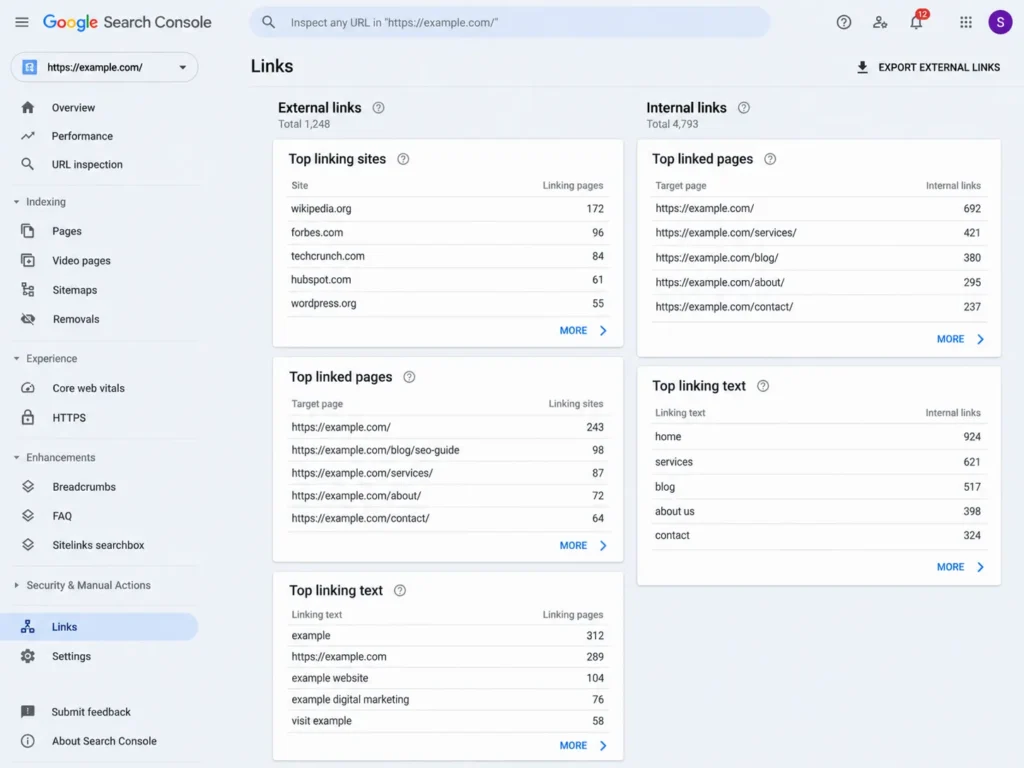
Search Console is the only backlink source that comes directly from Google. Open Links in the left menu to see three main tables:
- Top linking sites: the domains that link to you most
- Top linked pages: which of your pages receive the most external links
- Top linking text: the anchor text other sites use
Click Export external links to download more sample links or the latest links found.
The catch: Google shows a sample, not every link, and it does not give quality scores or show when a link was lost. It also only works for sites you have verified. If you have not set up Search Console yet, the verification steps are covered in my guide to why a website is not showing on Google.
2. Ahrefs Webmaster Tools (Ahrefs Free)
Best for: the most detailed free view of your own backlink profile.
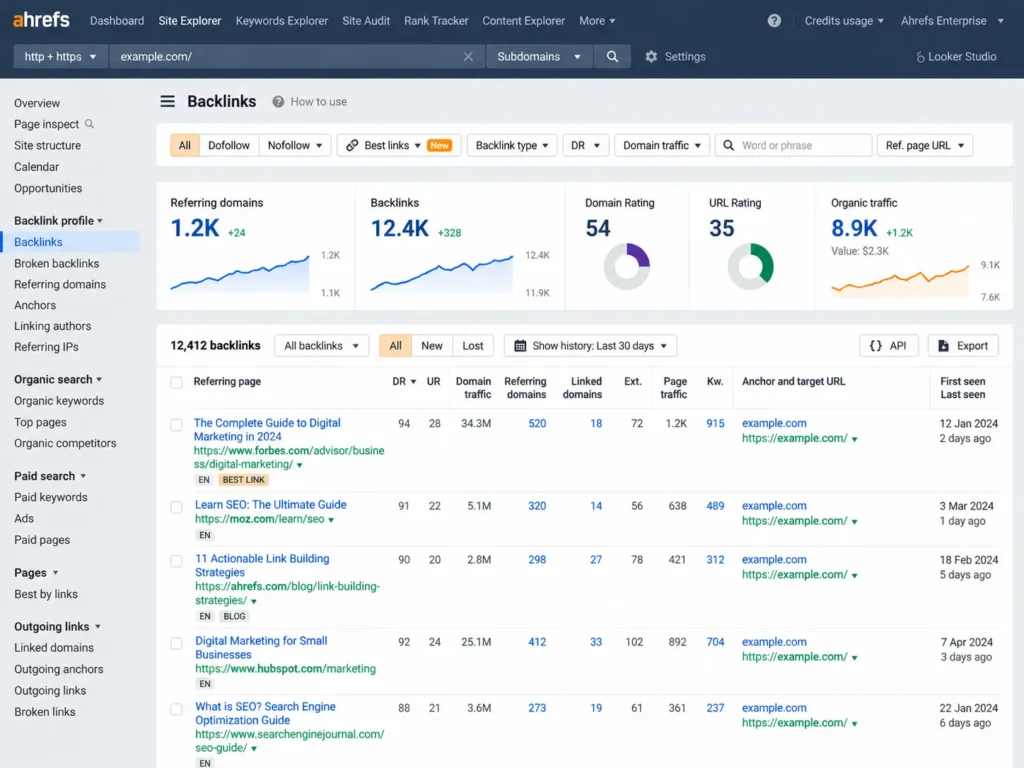
Ahrefs Webmaster Tools gives verified site owners free access to Site Explorer and Site Audit for their own projects. According to Ahrefs, the free tier shows up to 1,000 backlinks at once with sorting and filtering, and includes 5,000 Site Audit crawl credits per project each month.
What you get on your own site:
- Referring domains, backlinks and anchor text
- Domain Rating (DR) and URL Rating (UR)
- New and lost links
- Filters for dofollow and nofollow links
The catch: you must verify ownership, so it cannot be used to look at competitors. The site audit also flags technical SEO issues, which makes it a useful free health check alongside the link data.
3. Bing Webmaster Tools (Backlinks)
Best for: a second free index of your links, plus a free competitor comparison.
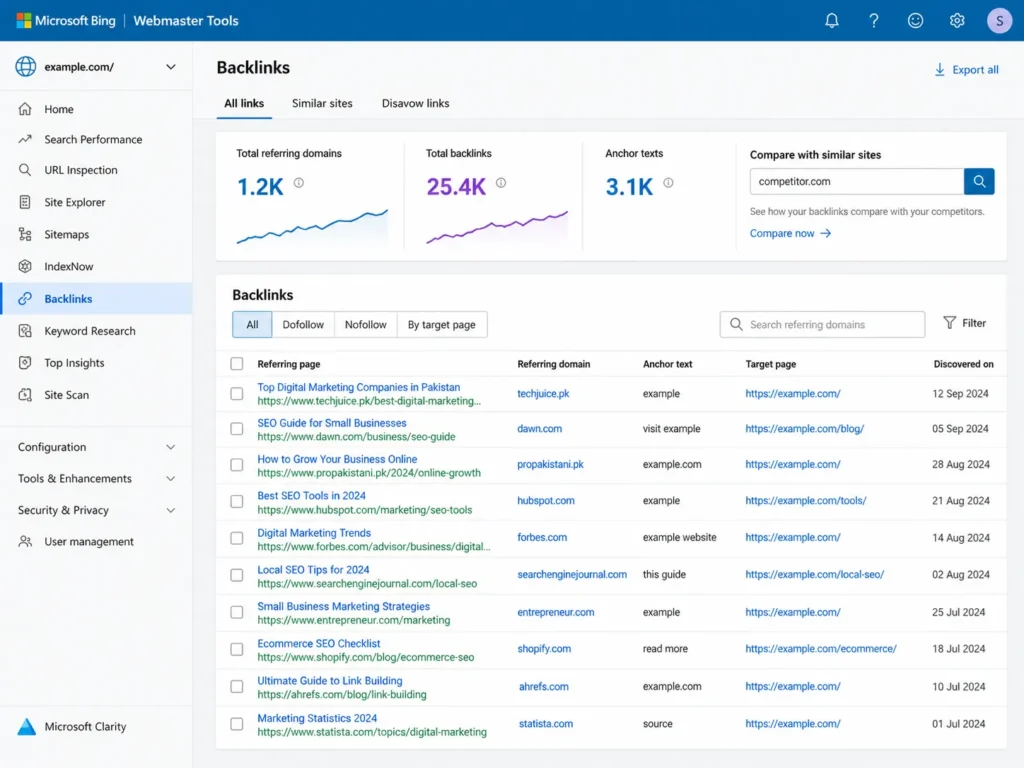
Bing Webmaster Tools has a Backlinks section that lists sites linking to yours. It also has a Similar sites tab where you can compare your backlinks with another website’s, even one you do not own. Few free tools offer that.
The catch: Bing’s link data comes from Bing’s crawl, which can differ from Google’s. The interface is less polished than paid tools. You can import your site from Google Search Console to verify it quickly.
Best free tools for checking any website’s backlinks
These tools let you look up a competitor, a potential link partner or a site you are thinking of buying. Their free versions show only a slice of the data.
4. Ahrefs free Backlink Checker
Best for: a quick look at the strongest links to any website.
Type any domain or URL and you get the number of referring domains, total backlinks and the domain’s top links. Independent comparisons report that the free checker shows about the top 100 backlinks, one per referring domain. Ahrefs says Domain Rating and URL Rating are available with a free account and its browser extension.
The catch: you see the best links, not the full list, and there is no export of the complete profile.
5. Moz Link Explorer
Best for: Domain Authority, Page Authority and Spam Score.
Moz’s Link Explorer is known for Domain Authority (DA), a 1 to 100 score that estimates how likely a domain is to rank, and Spam Score, which flags sites with features common to penalised domains. A free Moz account gets 10 queries a month, showing up to 50 rows per report.
The catch: 10 queries a month runs out fast. Use it for important checks, such as vetting a site before you ask it for a link.
6. Semrush (free account)
Best for: people already using Semrush for keyword research.
A free Semrush account gives a small number of requests each day, shared across all its tools, including Backlink Analytics. The free view shows overview metrics such as Authority Score and referring domains, and a short sample of backlinks.
The catch: the daily limit is shared with keyword and site research, and full backlink lists and the Backlink Audit’s Toxic Score need a paid plan or trial.
7. Seobility Backlink Checker
Best for: checking a site without creating any account.
Seobility’s free checker works without sign-up, with about three checks a day and up to 400 backlinks shown per check. Results include the linking page, anchor text and whether the link is followed.
The catch: its index is smaller than the large paid tools, so it finds fewer links for big sites.
8. Ubersuggest
Best for: beginners who want simple charts.
Ubersuggest, by Neil Patel, shows referring domains, backlinks, new and lost links and a Domain Authority-style score in an easy layout. A free account allows a few searches a day.
The catch: the free limit is tight and many backlink rows are locked behind the paid plan.
9. Majestic
Best for: Trust Flow and Citation Flow.
Majestic has one of the oldest link indexes and is known for two metrics: Citation Flow, which measures how many links point to a site, and Trust Flow, which measures how trustworthy those links are. A large gap between the two often points to low-quality links.
The catch: free lookups mainly show summary metrics. Detailed link lists need a subscription.
10. Linkody free backlink checker
Best for: quick, unlimited lookups.
Linkody’s free checker shows about 100 backlinks for any domain without sign-up or a daily cap, with anchor text and follow or nofollow status.
The catch: 100 rows is a sample. Its main product is paid backlink monitoring, which alerts you when links are gained or lost.
Why every tool shows a different number
It is normal for Search Console, Ahrefs and Moz to report very different backlink counts for the same site. There are three reasons:
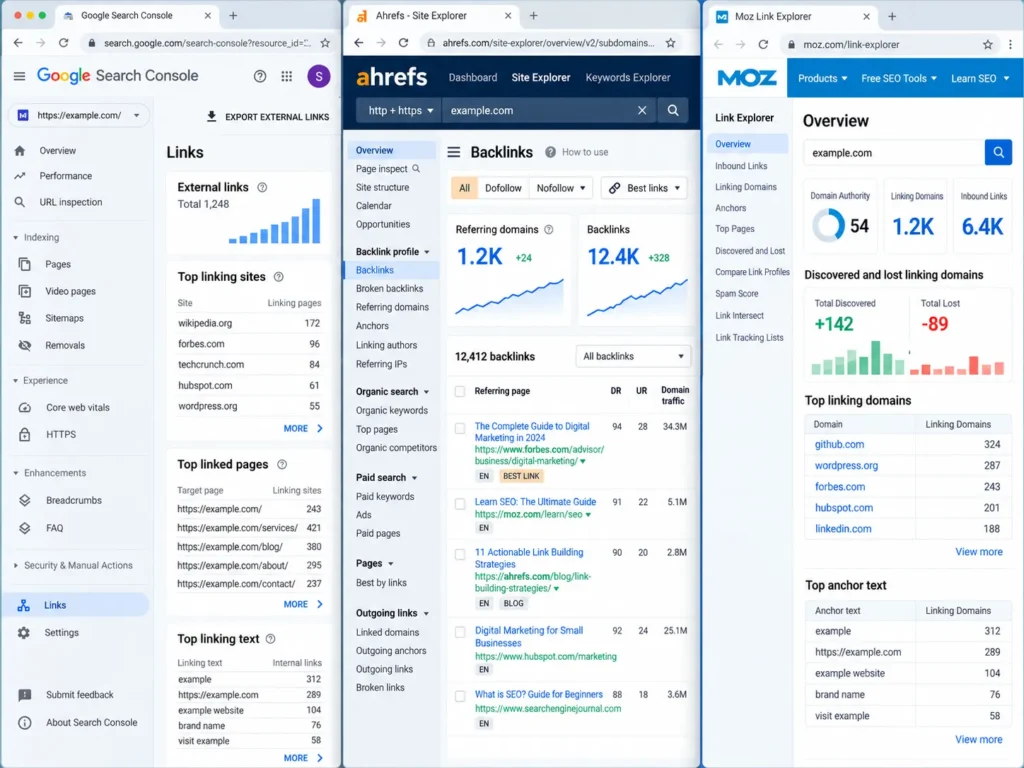
- Different crawlers. Each company crawls the web on its own schedule and finds different pages. No tool sees every link.
- Different counting rules. Some tools count every link on every page, including sitewide footer links; others group or filter them.
- Different update speeds. A link added last week may appear in one tool and not yet in another.
Scores such as Domain Rating, Domain Authority, Authority Score and Trust Flow are made by these companies, not by Google. They are useful for comparing sites within the same tool, but Google does not use them for ranking.
Compare referring domains rather than total backlinks. One site linking to you from 2,000 pages is still one referring domain.
Which free tool to use for each job
| What you want to do | Best free option |
|---|---|
| See links Google has found to your site | Google Search Console |
| Get the fullest free view of your own links | Ahrefs Webmaster Tools |
| Compare your links with a competitor for free | Bing Webmaster Tools (Similar sites) |
| Quickly check a competitor’s strongest links | Ahrefs free Backlink Checker |
| Vet a site before asking it for a link | Moz Link Explorer (DA and Spam Score) |
| Check a site without making an account | Seobility or Linkody |
| Spot a profile built on low-quality links | Majestic (Trust Flow vs Citation Flow) |
How to check your backlinks for free, step by step
For your own site, combining free tools gives you a far more complete list than any single one.
- Verify your site in Google Search Console, then import it into Bing Webmaster Tools and connect it to Ahrefs Webmaster Tools.
- Export your links from all three: Search Console’s external links export, Bing’s backlinks list and Ahrefs’ Backlinks or Referring domains report.
- Combine the exports in one Google Sheet or Excel file.
- Remove duplicates so you have one row per referring domain.
- Add columns for anchor text, follow or nofollow, and a note on whether the site is relevant.
- Repeat every three months and compare with your last list to spot new and lost domains.
This free method is enough for most small business sites. It is also the starting point if you ever need to clean up bad links; the next steps are in my guide on how to disavow toxic backlinks.
What to look for in a backlink report
Getting the data is the easy part. Reading it well is what matters.
- Referring domains over time. Steady growth is healthy. A sudden spike of hundreds of domains in a month usually means bought or spam links.
- Relevance. Links from sites in your industry, city or customer group matter more than links from random blogs.
- Anchor text. Most natural anchors are your brand name, your URL or plain phrases. Many exact-match keyword anchors look built rather than earned.
- Follow and nofollow mix. A natural profile has both. Business listings and social profiles are often nofollow, and that is fine.
- Lost links. If strong links disappear, find out why. A partner may have redesigned its site, and a quick email can often restore them.
- Links to your important pages. Check which pages receive links. Service pages with no links often struggle to rank against competitors that have them.
For local businesses, many of the links you see will be directory and citation listings. These support map rankings even when they pass little authority, which is part of local SEO.
Use free checkers to check your SEO provider’s work
If you pay someone for link building, a free checker is the easiest way to see what you are actually getting.
- Ask for a monthly list of every link built, with live URLs.
- Check each one in Ahrefs or Moz: is it a real site, relevant to you, with its own traffic?
- Watch for dozens of links from unrelated “write for us” blogs, foreign sites or pages with hundreds of outbound links. Links like these are a common result of the mistakes when hiring an SEO expert that business owners make.
Monthly packages that promise a fixed number of backlinks are one of the warning signs I cover in SEO packages in Pakistan. Your SEO contract should also require a written list of links built each month.
When free backlink checkers are not enough
Free tools cover most needs for a small site. You will need paid access, or someone who has it, when:
- You are cleaning up after an “Unnatural links” manual action and need the fullest possible list.
- You manage a large site or online store with thousands of referring domains.
- You need full competitor link lists for outreach, not just a sample.
- You want automatic alerts for every new and lost link.
Paid tools such as Ahrefs, Semrush, Moz Pro and Majestic all offer this, at monthly prices in US dollars. Before paying for a subscription, check whether your SEO provider already includes these tools in their fee. For sites with a manual action, a full Google penalty recovery usually needs paid link data from more than one tool.
Frequently asked questions
What is the best free backlink checker?
For your own site, Google Search Console and Ahrefs Webmaster Tools give the most reliable free data. For other websites, the Ahrefs free Backlink Checker shows the strongest links, while Moz Link Explorer adds Domain Authority and Spam Score within a monthly limit.
How can I check a competitor’s backlinks for free?
Use the Ahrefs free Backlink Checker, Moz Link Explorer, Seobility or Linkody to see a sample of any site’s links. Bing Webmaster Tools also lets you compare your backlinks with another site’s using its Similar sites feature.
Is Google Search Console enough to check backlinks?
It is enough to see the links Google has found, which matters most, but it shows a sample without quality scores or lost-link data. Adding Ahrefs Webmaster Tools and Bing Webmaster Tools gives a fuller free picture.
Why do backlink tools show different numbers?
Each tool crawls the web separately and counts links in its own way, so none of them sees every link. Compare referring domains within the same tool over time rather than comparing totals across tools.
Does Google use Domain Authority or Domain Rating?
No. Domain Authority is a Moz metric, Domain Rating is an Ahrefs metric and Authority Score is a Semrush metric. Google uses its own systems and does not use any of these third-party scores.
Can I check backlinks without signing up?
Yes. Seobility and Linkody offer free backlink checks without an account. Most other tools need a free account, and Google Search Console, Bing Webmaster Tools and Ahrefs Webmaster Tools also need you to verify site ownership.
How often should I check my backlinks?
Every three months is enough for most small business sites. Check monthly if you are running active link building, recovering from a penalty or paying someone to build links for you.